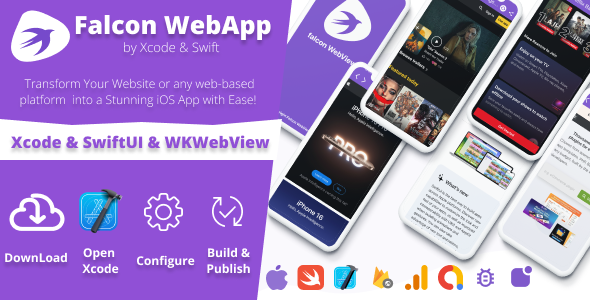
The iOS WebView App Builder ( Website to App ) is a SwiftUI-based Xcode template that wraps an existing responsive website inside a native iOS shell, adding features a plain browser tab cannot offer: AdMob monetisation, push notifications, a navigation drawer, offline error handling and JavaScript bridging. It targets website owners, freelancers and small agencies that already have a working mobile-friendly site and want an App Store presence without commissioning a bespoke native build. At $18 it sits firmly in the low-cost template bracket, and it is published on ThemeForest by Falcon.
What the iOS WebView App Builder Actually Delivers
The core of the product is a WKWebView container written in Swift and SwiftUI rather than the older UIKit patterns many templates still use. That matters for longevity: WKWebView is Apple’s current rendering engine for embedded web content, and SwiftUI is the direction Apple’s own tooling has moved in. A template built on both is less likely to break with the next major iOS release than one relying on deprecated APIs.
Around that container, the vendor has layered a set of configurable components that address the usual complaints about WebView apps:
- Navigation and chrome control. A slide-out drawer menu can be configured or replaced with a custom navigation scheme, and the toolbar can be restyled or hidden entirely. Hiding it matters when the wrapped site already has its own header — running two toolbars stacked on top of each other is the most common visual failure in cheap WebView wrappers.
- Local and offline content. The template can serve a locally bundled website rather than a remote URL, which opens the door to offline-capable apps, documentation readers or kiosk-style builds. A dedicated no-internet and error screen lets the developer show a branded message instead of a blank white view.
- Monetisation. AdMob integration is included with the ability to switch ads off at any time. Non-intrusive placement is the stated design goal, though the actual ad formats and placement logic are configured by whoever builds the app, not enforced by the template.
- Push notifications. Both OneSignal and Firebase Cloud Messaging are supported, so the choice of provider is not locked in. This is a meaningful inclusion — push is the single feature most often missing from budget WebView templates, and retrofitting it later is fiddly.
- JavaScript bridging. The app exposes native alerts, toast messages and snack bars that the website can trigger from JavaScript. For teams that want the web layer to control native UI behaviour, this is the most interesting capability in the package.
- Retention and growth extras. In-app rating prompts and share actions are built in, along with a customisable splash screen and layouts that adapt from iPhone to iPad.
The vendor tags also reference deep linking, a download manager and file upload support. The listing itself does not document how these are implemented, so a buyer should verify them in the demo or documentation before assuming they work out of the box.
Where This Template Fits — and Where It Does Not
The clearest fit is a business that already runs a responsive WordPress site, a Shopify storefront or a custom web application and wants a lightweight iOS companion app. A restaurant with an online menu, a publisher with a content site, a gym with a booking portal, a SaaS product with a mobile web dashboard — all of these can be shipped as an app in a fraction of the time a native rewrite would take. Freelancers and agencies benefit most, because the template removes the boilerplate work that would otherwise eat the first week of a fixed-price project.
It is also a reasonable choice for internal or client-facing apps distributed outside the public App Store, where the review process is less of a concern and the priority is getting a branded container onto devices quickly.
The wrong choice is any project where the app experience must genuinely differ from the website. If the product needs native gestures, background processing, camera-heavy workflows, complex offline synchronisation or platform-specific UI conventions, a WebView wrapper will feel like a website in a box — because it is one. Apple’s App Store review guidelines have historically rejected apps that are merely repackaged websites with no added functionality, and the extra features here (push, ads, offline mode) help but do not guarantee approval. Anyone planning a flagship consumer app should budget for native development instead.
Strengths and Limitations of the iOS WebView App Builder
Strengths
- Modern foundation: Swift and SwiftUI rather than legacy UIKit patterns, which reduces the risk of breakage on future iOS releases.
- Unusually complete feature set for the price — push notifications, AdMob, JavaScript bridging and offline handling are all included rather than sold as add-ons.
- Provider flexibility on push, supporting both OneSignal and Firebase rather than forcing one service.
- Sensible handling of the classic WebView pitfalls: duplicate toolbars, blank error states and fixed-width layouts.
- Low financial risk at $18, which is roughly the cost of an hour of a developer’s time.
Limitations
- No sales history is disclosed on the listing, so there is no track record to weigh. Buyers are effectively early adopters.
- Several tagged features — deep linking, download manager, file upload — are not documented in the listing, leaving their scope and reliability unclear.
- An Xcode build environment and an Apple Developer account are prerequisites, and the latter costs $99 per year. The template does not remove that overhead.
- App Store approval is not guaranteed. The vendor cannot promise that Apple will accept a given WebView app, and reviewers do reject thin wrappers.
- Customisation beyond the exposed options requires Swift knowledge. The “no coding required” framing holds only for the configuration layer.
- Ad placement quality depends entirely on the implementer; the template provides the AdMob hooks, not a monetisation strategy.
How It Compares With Other Routes to an iOS App
Against the broader category of website-to-app converters — cloud services that generate an app from a URL through a dashboard — this template trades convenience for ownership. Cloud converters typically charge recurring monthly fees, keep the build on their infrastructure and limit customisation to what their dashboard exposes. The iOS WebView App Builder gives the buyer the actual Xcode project, so there is no subscription, no vendor lock-in and no ceiling on modification for anyone comfortable in Swift.
Against a fully custom native build, the comparison is straightforward: a bespoke app offers unlimited capability at a cost that typically runs into four or five figures and weeks of development. This template compresses that to an afternoon for the standard feature set, but caps the ceiling at what a WebView can do.
Against free or near-free WebView templates found on code marketplaces, the differentiator is currency and completeness. Many free options are years out of date, use deprecated APIs or omit push notifications entirely. The vendor explicitly warns that outdated copies of this template circulate on other sites without permission, which is a useful reminder to buy from the original listing rather than a reseller.
Frequently Asked Questions
Do I need to know Swift to use this iOS WebView App Builder?
No, not for the standard setup. The template is configured through a settings file and Xcode’s interface, so pointing it at a URL, adding an AdMob ID and enabling push can be done without writing code. Changing layout behaviour or adding features beyond the exposed options does require Swift and SwiftUI familiarity.
Will Apple approve an app built with a WebView template?
Approval is not guaranteed and depends on the app’s content and added value. Apple’s guidelines reject apps that simply repackage a website with no native functionality. Apps built with this template that use push notifications, offline mode, a proper navigation structure and a clear purpose stand a much better chance than a bare URL wrapper.
Can it show a website that works without an internet connection?
Yes. The template supports loading a locally bundled website inside the WebView, which allows offline access to content shipped with the app. Remote sites still need connectivity, but the included no-internet screen lets the developer display a branded message rather than a blank page when the connection drops.
Does the template include push notifications and ads out of the box?
Both are built in. Push notifications work through either OneSignal or Firebase Cloud Messaging, and AdMob ads can be enabled or disabled at any time. Neither service is pre-configured with accounts — the buyer supplies their own AdMob and push provider credentials during setup.
Verdict: Who Should Buy the iOS WebView App Builder ( Website to App )
This template is a sound purchase for freelancers, agencies and site owners who already have a responsive website and want a branded iOS app with push notifications and ad support for under twenty dollars. The SwiftUI foundation and the breadth of included features make it better value than most budget WebView templates, and the JavaScript bridge gives it room to grow. It is not the right choice for anyone without access to a Mac and an Apple Developer account, nor for projects that need genuine native behaviour or a guaranteed smooth path through App Store review. Buyers should also treat the undocumented tags — deep linking, downloads, file upload — as claims to verify rather than settled features.