The OneByOne Slider is a lightweight, responsive, and layered jQuery plugin designed to showcase images and text with stunning sequential animations. Built for web developers and designers seeking to add a premium, dynamic feel to their projects, this plugin leverages the power of CSS3 animations via Animate.css to deliver smooth, hardware-accelerated transitions. Whether you are building a corporate website, a creative portfolio, or an engaging landing page, the OneByOne Slider transforms static content into a captivating visual story. Its mobile-first approach ensures a flawless experience on touch devices like iPhones and iPads, complete with swipe and drag navigation, making it an essential tool for modern, conversion-focused web design.
Key Features
The OneByOne Slider is packed with features that set it apart from standard carousels and sliders. Here’s a breakdown of what makes this jQuery plugin a powerful asset for your web development toolkit:
- Lightweight & Fast: The compressed JavaScript file is only 4kb. This minimal footprint ensures your website maintains excellent loading speeds, which is critical for both user experience and search engine ranking. You get high-end animation without the bloat.
- Hardware-Accelerated CSS3 Animations: The plugin uses modern CSS3 transitions driven by Animate.css. This enables silky-smooth animations that are GPU-accelerated in supported browsers, providing a professional and seamless viewing experience that Flash-based sliders simply cannot match.
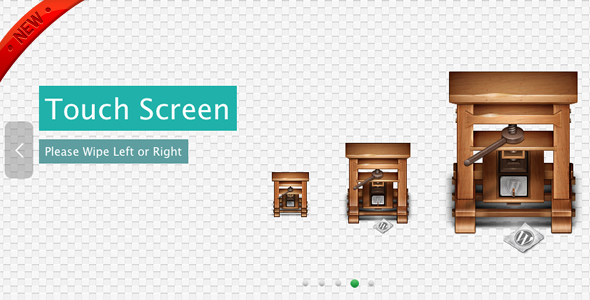
- Fully Responsive & Mobile-Friendly: With built-in responsive support, the slider automatically adapts to any screen size. It’s specifically optimized for touch devices, supporting swipe left and right gestures on iPhones and iPads. Desktop users can also navigate by dragging and dropping with their mouse, offering an intuitive interface for all users.
- Customizable Animations: You are not stuck with one style. The OneByOne Slider allows you to customize the animation for each individual slide and even for each element within a slide. Choose from over 20 distinct animation styles, including bounceIn, rotateIn, flipInX, and fadeInUpBig, or opt for a dynamic ‘random’ mode to keep your content fresh and engaging.
- Versatile Navigation Controls: The plugin includes optional arrow buttons and circle navigation buttons. The auto-hide feature keeps the interface clean by hiding arrows until the user hovers over the slider. For presentations, you can enable the auto-delay slideshow function and choose to pause the slideshow on hover to give viewers more time to read critical information.
- Framework Integrations: The latest updates include an example that integrates the OneByOne Slider with the popular Twitter Bootstrap Carousel. This makes it incredibly easy to upgrade the standard Bootstrap slider with the “one by one” layered animation effect.
Who Is This For? Use Cases
The OneByOne Slider is designed for a broad range of web professionals, from freelance developers to large agency teams. If your goal is to create engaging, high-impact visuals that drive user action, this plugin is a perfect fit. Here are some specific use cases:
Creative Agencies and Designers
When you need to present a portfolio or showcase case studies, static images often fall short. The OneByOne Slider allows you to create a narrative. You can introduce a project title, then have the image slide in, followed by key metrics or client quotes appearing one by one. This layered storytelling approach captivates potential clients and emphasizes your attention to detail and modern design standards.
Marketing Teams and E-commerce Sites
For landing pages and product launches, grabbing a user’s attention in the first few seconds is vital. Use the slider for hero sections to highlight a product’s unique selling points sequentially. For example, show the product image, then a headline about its main benefit, followed by a “Shop Now” call-to-action button. This controlled sequence guides the user’s eye directly to the conversion point, potentially increasing click-through rates and sales.
Corporate and Business Websites
Communicating complex services or value propositions can be challenging. The OneByOne Slider helps break down these concepts into digestible, animated steps. You can use it to walk visitors through your process (Step 1, Step 2, Step 3) with icons and text, or highlight key company stats and achievements in a visually compelling way. The fully responsive nature ensures that your message looks great on the mobile devices your B2B clients are likely using.
Technical Details & Compatibility
The OneByOne Slider is a technically sound plugin with a strong focus on forward-thinking web standards. It is developed for jQuery and relies on CSS3 transformations. The latest updates have moved to jQuery 1.9.1 and now include Modernizr to detect browser support for CSS3 transitions, ensuring the plugin degrades gracefully on older browsers. For instance, on IE9 and below (which lack CSS3 transition support), the plugin defaults to a jQuery-based fade transition to maintain functionality.
It is important to note that while the plugin is mobile-friendly, the full, rich CSS3 animations are best experienced on modern browsers like Firefox, Safari, and Chrome. The developer provides a clear note that the full CSS3 transition effects do not work on IE7, IE8, or IE9, though a basic fade effect is provided as a fallback. The plugin is not dependent on a specific server-side language and can be integrated into any HTML project or content management system that allows custom JavaScript.
Pros and Cons
Evaluating both the strengths and potential limitations of the OneByOne Slider will help you make an informed decision.
Pros
- Exceptional Performance: The plugin’s 4kb size and use of CSS3 animations ensure high performance and rapid loading times.
- Superior Animation Quality: By leveraging Animate.css, you get professional-grade, smooth animations that are far more impressive than typical jQuery slide/fade effects.
- High Customization: The ability to control animation style per element (image, text, button) gives developers granular control over the user experience, enabling truly unique designs.
- Excellent Mobile Support: The swipe functionality feels native on touch devices, which is essential for the significant portion of web traffic that now comes from mobile.
- Framework Flexibility: The included Bootstrap Carousel integration adds significant value for the large community of Bootstrap users.
Cons
- Browser Support Limitations: The full animation effects are not available on older browsers (IE9 and below). While a fallback fade option exists, users on those browsers will not experience the intended visual impact.
- Requires Technical Knowledge: This is not a “drag-and-drop” builder tool. You will need a working knowledge of HTML, CSS, and JavaScript/jQuery to implement and customize the plugin effectively.
- No Premium Support Guarantee: As a marketplace item, support is provided by the author (sike) and is not always as immediate or guaranteed as you would get from a dedicated software company.
Frequently Asked Questions
Is the OneByOne Slider compatible with WordPress?
Yes, absolutely. While the standard plugin is a jQuery file for regular HTML sites, the author has specifically created a dedicated WordPress plugin version. You can find the Responsive OneByOne Slider WordPress Plugin on CodeCanyon, which allows you to integrate these exact animations into your WordPress site without manually editing theme files. This makes it an excellent choice for WordPress developers and site owners looking for advanced slider capabilities.
Does the OneByOne Slider support touch and swipe gestures on mobile devices?
Yes, mobile compatibility is a core feature of this slider. It is designed to be mobile-friendly and includes native support for wipe left/right gestures on touch devices such as iPhones and iPads. Furthermore, on desktop computers, you can enable the drag function to navigate the slides, providing a consistent and interactive experience across all device types.
Can I change the animation for each slide individually?
Certainly. Starting from the update in September 2012, the OneByOne Slider includes the ability to customize the animation style for each individual slide and even for each separate element within a slide. This means you can have the title fadeInLeft, the image bounceIn, and the button flipInX, all in the same slide. This granular level of control offers endless creative possibilities for your web design.
Final Verdict
In a landscape saturated with template-style sliders, the OneByOne Slider stands out as a professional-grade tool built for performance and visual storytelling. It solves the common problem of clunky, heavy sliders by offering a lightweight solution that does not compromise on visual quality. For developers and designers who prioritize clean code, mobile user experience, and modern animation trends, this plugin offers a significant upgrade over standard jQuery carousels.
The consistent updates, including the integration with Bootstrap and the move to Modernizr for better fallback handling, demonstrate a commitment to keeping the plugin current and reliable. With its proven track record on CodeCanyon and a comprehensive set of features, the OneByOne Slider provides incredible value for the price. If you are ready to elevate your website’s front-end design and deliver an impressive, conversion-friendly user experience, don’t hesitate. Purchase the OneByOne Slider today and bring your content to life.