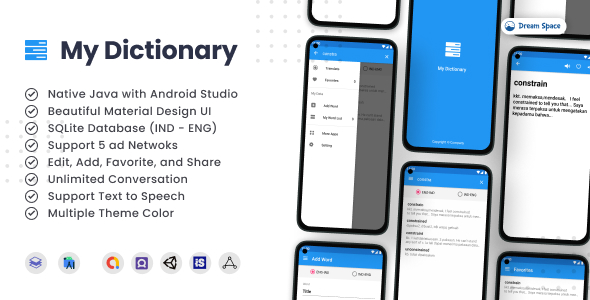
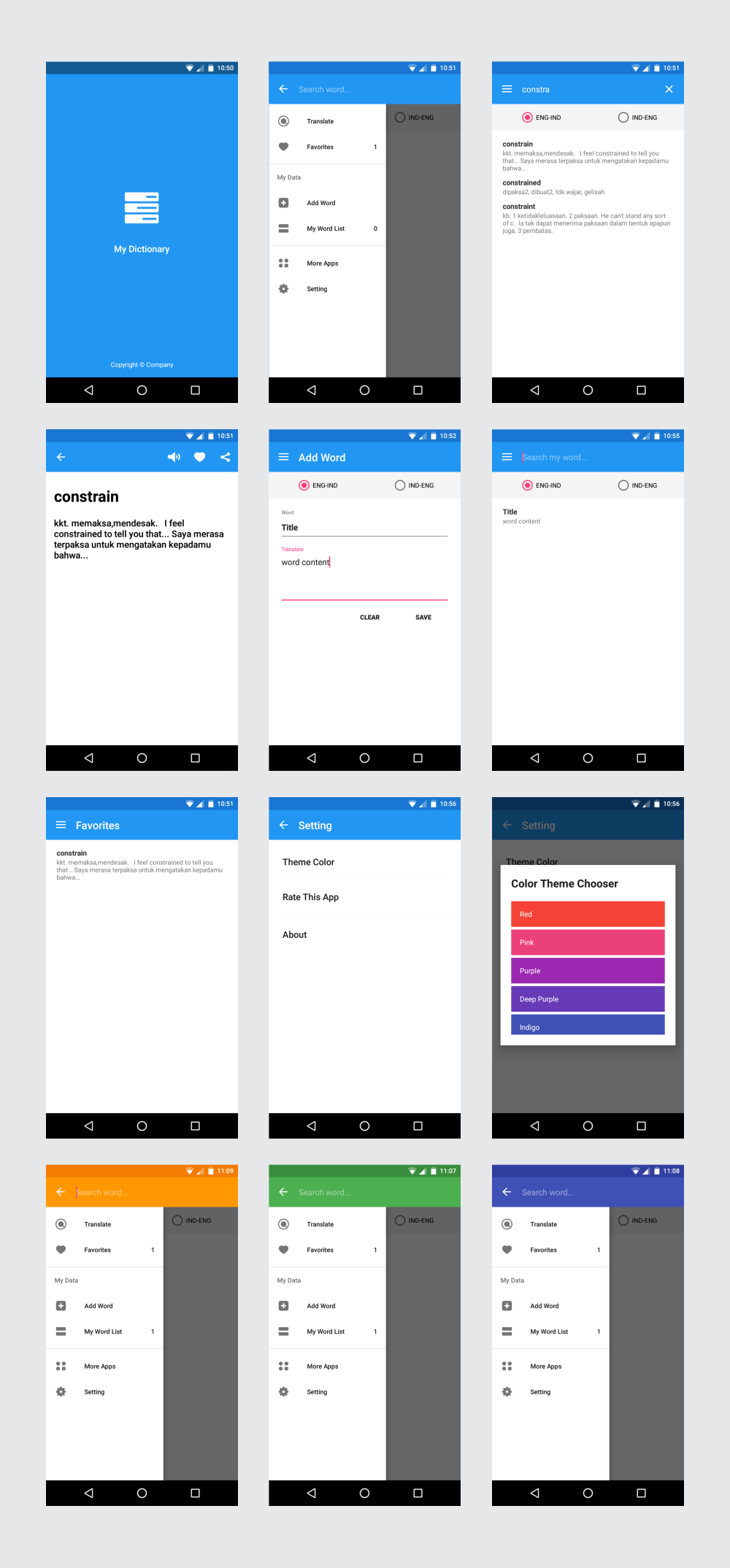
My Dictionary 7.0 delivers a professionally designed Android application template for developers seeking to create premium dictionary apps. Built on modern Android Studio foundations, this template features a SQLite database pre-loaded with English-Indonesian translations while providing full customization capabilities for other language pairs. The intuitive material design interface ensures smooth navigation with a material drawer menu and 15 visually distinct color themes that can be easily tailored to match your brand identity.
Advanced Technical Architecture
The template’s robust architecture leverages SQLite for efficient word storage and retrieval. Developers can extend the default English-Indonesian dataset to any language combination through straightforward database modifications. The codebase follows clean architecture principles with well-organized packages and fragments, significantly reducing implementation time for new features.
Core Functionality Breakdown
- Material Design Implementation: Adheres to Google’s latest UI/UX standards with intuitive navigation patterns and responsive layouts
- Dynamic Theme Engine: 15 pre-built color schemes with easy customization options in XML resources
- Text-to-Speech Integration: Built-in pronunciation functionality for audio reinforcement of vocabulary
- Word Management System: Full CRUD (Create, Read, Update, Delete) operations for dictionary entries
- Favorites Organization: User-categorized bookmarking system with persistent local storage
Monetization and Engagement Features
Integrated AdMob support includes both banner and interstitial ad placements with GDPR compliance configurations. The implementation follows Google’s latest SDK requirements, ensuring maximum fill rates while maintaining smooth user experience. Social sharing functionality lets users export word definitions directly to messaging platforms and social networks, increasing app visibility and organic growth potential.
Developer Experience Enhancements
- Modular code structure with separation of concerns (UI, database, business logic)
- Comprehensive documentation for database customization and theme modification
- Gradle configuration optimized for latest Android versions
- ProGuard rules pre-configured for release builds
- Sample unit tests for critical components
Evolution and Updates
Continuous improvements demonstrate the template’s active maintenance:
- March 2022 (v6.3): SDK 31 compatibility, dependency updates, and performance enhancements
- October 2021 (v6.2.1): Build tool modernization and stability fixes
- September 2019 (v6.2): AndroidX migration and data display optimizations
- April 2019 (v6.1): AdMob SDK refresh, GDPR compliance, and new banner placements
- July 2018 (v6.0): Gradle update and GDPR framework implementation
This update history highlights the developer’s commitment to maintaining compatibility with Android platform changes while expanding functionality.
Visual Preview
Experience the Demo
Test the complete feature set directly on your Android device:

Additional Products by Developer