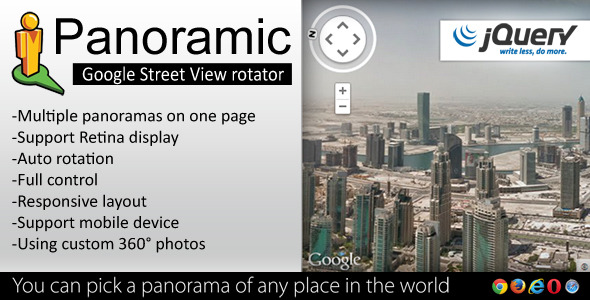
When you need to showcase a location, property, or immersive environment on the web, a standard image slider often falls short. The gap between a flat photograph and a true sense of presence is significant—viewers want to look around, not just scroll past. Panoramic bridges this gap by bringing the familiar, fluid navigation of Google Street View directly into your website. This jQuery-powered plugin allows you to take custom 360° photos or use existing panoramic assets and wrap them in an intuitive interface that feels native to the modern web. Whether you are a real estate professional looking to offer virtual walkthroughs, a travel blogger wanting to drop readers into a breathtaking landscape, or a creative agency building an interactive presentation, Panoramic transforms static images into explorable environments. It strips away the complexity of building a custom panorama viewer from scratch, giving you a robust, well-documented tool that works across devices and browsers. For anyone who needs a visitor to stop, look around, and feel present in the space, this plugin is a direct path to that result.
Key Features
- Many customizable settings: Control rotation speed, zoom limits, starting angles, and button behavior to craft the exact experience your project demands.
- Responsive panoramas: The viewer automatically scales to fit any screen size without breaking the immersion. It looks right on a widescreen monitor and a small smartphone.
- Support Retina display: Your high-resolution panoramic images look crisp and sharp on modern Retina and HiDPI screens, making the visual experience truly premium.
- Multiple panoramas on One page: You can embed several independent viewers on the same page without ID conflicts or performance issues. This is perfect for comparing different angles of a property or showcasing various locations.
- Support mobile device: Touch gestures like swipe and pinch-to-zoom are fully supported, mirroring the native feel of mobile mapping apps. It works on iOS and Android out of the box.
- Using custom 360° photos: Upload your own equirectangular images captured with a 360 camera or stitched from multiple photos. You are not locked into any proprietary format.
- Cross Browser Compatible: Tested consistently across Chrome, Firefox, Safari, Edge, and older browsers that still use jQuery. The plugin degrades gracefully when JavaScript is unavailable.
- Full screen mode: A single click or tap expands the panorama to fill the entire browser window, eliminating all visual distractions for a fully immersive view.
- Easy to Use: Implementation requires only basic jQuery knowledge. The initialization script is clean, with simple parameters that map directly to the desired behavior.
- Well documented: The documentation covers installation, parameter reference, and common troubleshooting scenarios. It reduces development time significantly.
- BONUS: 20 background patterns: These ready-to-use patterns provide a sleek fallback or loading state, adding a polished touch before the image loads.
- BONUS: Lite version (without using jQuery): A vanilla JavaScript alternative is included for projects that avoid heavy libraries or need a lighter footprint.
Who Is This For? Use Cases
Real Estate and Property Listing Websites
Static photos and even video tours often fail to convey the true flow of a room. A potential buyer wants to linger on a window view, check the ceiling height, or look behind a doorway. With Panoramic, you embed a 360° view directly on the listing page. The user stays on your site—they do not bounce to a third-party platform. This increases time-on-page, which signals quality to search engines and keeps the buyer engaged. Real estate agents using this plugin report fewer “gross misrepresentation” calls because the buyer has already thoroughly explored the space virtually.
Travel and Hospitality Marketing
Hotels, resorts, and travel destinations compete for the user’s imagination. A panoramic view of a hotel lobby, a beach at sunset, or a mountain vista from a cabin deck is far more persuasive than a gallery of thumbnails. Using custom 360° photos, you can drop the user right into the experience. The full-screen mode is particularly effective here—it mimics the feeling of being there. For travel bloggers, embedding a Panoramic viewer in a blog post about a hiking trail or city square makes the content interactive and highly shareable.
Creative Portfolios and Interactive Presentations
Graphic designers, architects, and digital artists who work with spatial concepts need a way to present their work without compromising the immersive quality. Instead of sending a link to a standalone service that adds branding, you integrate Panoramic directly into your portfolio. The support for multiple panoramas allows you to show a before-and-after of an architectural renovation or different textures in a 3D rendering. The bonus patterns also work well as stylish loading screens or transitions between views.
Event and Venue Virtual Tours
Wedding venues, conference centers, and art galleries can use this plugin to give prospective clients a virtual walkthrough without scheduling a site visit. The responsive design ensures that a bride scrolling on her phone can look around a reception hall just as easily as someone on a desktop. The touch gesture support is essential for this mobile-first audience—they can swipe to pan and pinch to zoom with zero friction.
Technical Details & Compatibility
Panoramic is built on jQuery, a library that remains widely deployed in legacy and large-scale web projects. The version compatibility spans jQuery 1.7 through 3.x, meaning it will function on older systems that cannot upgrade to modern frameworks. The plugin itself is a lightweight file with no external dependencies beyond jQuery—no other CSS or JavaScript libraries are required. It handles equirectangular images (2:1 aspect ratio) which are the standard output of virtually every consumer 360 camera (Ricoh Theta, Insta360, GoPro MAX) and most stitching software (PTGui, Hugin). The bonus lite version, offered in plain JavaScript, removes the jQuery dependency entirely, making it suitable for modules like Webpack or projects where jQuery is not part of the build. Browser support covers all modern evergreen browsers (Chrome, Edge, Firefox, Safari) and the elderly Internet Explorer 11 is also supported due to the jQuery abstraction. Mobile device support is verified on iOS Safari and Android Chrome, with touch event handlers that do not interfere with native scrolling behavior. The plugin has been available on CodeCanyon for years, indicating a mature codebase with community-tested stability. The last update included compatibility adjustments for newer browser security policies regarding full-screen API calls, which is a common pain point for panorama viewers.
Pros and Cons
Pros
- Truly cross-browser and cross-device: This is the strongest selling point. Panoramic works on old iPads, modern Android phones, and corporate laptops running IE11. Few alternatives can claim this breadth of support without heavy polyfills.
- Zero third-party servers: Unlike embedded Google Street View or third-party tour platforms, your panoramic image is hosted on your own server. This means no ads, no branding, and no dependency on an external API that could change pricing or availability.
- BONUS Vanilla JS version: Many customers do not notice this until they need it. The lite version exempts you from jQuery if your project uses React, Vue, or a modern stack that avoids jQuery entirely.
- Simple integration: For a developer, it is a few lines of code. For a non-developer using a page builder like Elementor, the well-documented parameters can be plugged into a custom HTML block or shortcode.
- Affordable one-time purchase: Unlike subscription-based virtual tour SaaS products that charge $30–$100 per month, this is a flat purchase on CodeCanyon. You own the license and use it on as many projects as the license allows.
Cons
- Requires equirectangular images: You cannot just upload a regular photo. You need a 360° camera or stitching software to produce the correct image format. This is a technical barrier for complete beginners who expect a point-and-shoot experience.
- No hotspots or internal linking: The plugin is a single-view panorama viewer. It does not support clickable hotspots that link to another panorama for a “walk through” experience. If you need a full virtual tour with multiple connected rooms, you would need to rely on a separate navigation solution.
- jQuery dependency (main version): For modern projects moving away from jQuery, the main version may feel like a legacy dependency. This is partially mitigated by the lite version, but that version lacks some of the more refined animation smoothing of the jQuery-based code.
- Older visual aesthetic: The default UI buttons and controls look dated by 2025 standards. You will likely need to style the overlays yourself to match a modern, flat-design aesthetic.
Frequently Asked Questions
Does Panoramic work with WordPress page builders like Elementor or Gutenberg?
Yes, it works with any platform that allows custom HTML or JavaScript execution. In Gutenberg, you can use a Custom HTML block to insert the required markup and script. In page builders like Elementor or Divi, you can use a “Code” or “HTML” widget. The plugin does not have a dedicated WordPress plugin wrapper, so you will need to enqueue the script in your theme’s functions.php or manually add it via a plugin like Code Snippets. Once the assets are loaded, the initialization script runs as documented. Many users also integrate it with Advanced Custom Fields to dynamically load different panoramic images per page.
Can I use my own 360 images taken with a consumer camera?
Absolutely. The plugin requires equirectangular images with a 2:1 aspect ratio (for example, 4000×2000 pixels). Consumer 360 cameras like the Insta360 X3, Ricoh Theta Z1, or GoPro MAX output this exact format natively. If you stitch images from a DSLR, ensure your stitching software outputs equirectangular projection. The plugin does not compress or resize the image, so you are responsible for optimizing the file size for web performance. A 4000×2000 JPEG compressed at 80% quality typically results in a 2–4 MB file, which is acceptable for modern broadband and cache-friendly.
Is support included with the purchase on CodeCanyon?
Yes, CodeCanyon requires authors to provide support for six months from the date of purchase. You can contact the author via the item support tab on the product page. The author typically responds within 1–2 business days. Common support questions revolve around image formatting issues and mobile touch compatibility. The extensive documentation covers most edge cases, and the author often provides code snippets for customization requests. After the six-month period, you can extend support for a small fee, but the plugin itself is fully functional and does not require active support to operate.
Final Verdict
Panoramic delivers exactly what it promises: a no-fuss, lightweight, and thoroughly compatible way to embed Google Street View-style navigation into any website. It excels in its simplicity and broad compatibility—this is not a flashy, GPU-intensive WebGL experience that breaks on an older laptop. Instead, it is a reliable workhorse that gets the job done for real estate, travel, and portfolio websites. The inclusion of a vanilla JavaScript bonus version shows foresight, while the 20 background patterns add a small but thoughtful touch. The sales count on CodeCanyon speaks for itself; thousands of developers have trusted this plugin for their projects because it works consistently and is well-documented. If you need a virtual tour builder with clickable hotspots and room-to-room navigation, look elsewhere—this is a single-view solution. But if you need a high-quality, responsive, and device-agnostic panorama viewer that you can deploy in minutes, Panoramic is the right choice. It removes the barrier between your visitor and the immersive experience you want to deliver. Stop linking to third-party viewers that add watermarks or break on mobile. Own your content, control your user experience, and give your audience a reason to stay and explore. Try Panoramic today and turn your flat images into a world your visitors can navigate.