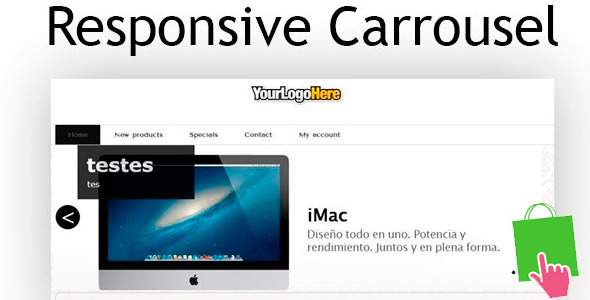
For ecommerce store owners, capturing visitor attention immediately is no longer optional—it is a requirement for conversion. A static, unchanging homepage or product page often fails to communicate the breadth of your offerings. Enter ResponsiveCarrousel, a dedicated module designed to solve this exact problem. This tool allows you to showcase multiple images, promotions, or brand messages within a single, dynamic space that automatically adapts to the screen size of any device. Whether you run a single online store or manage multiple shops under one installation, this module provides the flexibility needed to present your visual content effectively, without needing to write a single line of code.
Unlike generic slider plugins, ResponsiveCarrousel is deeply integrated with the architecture of PrestaShop, ensuring seamless operation from the top hooks to the footer columns. It is built for merchants who prioritize user experience on mobile, tablet, and desktop alike. By enabling automatic resizing and touch navigation, this carousel transforms a standard gallery into an engaging, navigable asset that supports your overall conversion strategy. For store owners who need a robust, multilingual, and fully configurable solution, this module represents a direct upgrade to their site’s front-end functionality.
Key Features
This module is packed with practical functionality designed to streamline your workflow and enhance the user interface. Below are the core features that set it apart from basic image rotators.
- Fully Responsive Design: The carousel automatically scales and reorients images to fit any viewport, from large desktop monitors to small smartphone screens. This ensures your visuals always look sharp and well-framed.
- Native Multilingual Support: Display different images, banners, and text content for each language installed on your PrestaShop. This is critical for stores targeting international audiences with localized marketing campaigns.
- Multi-Shop Compatibility (PS 1.5/1.6): Manage your carousel content from a single interface for multiple store fronts. This feature saves significant time for network operators, allowing centralized control of visual assets.
- Touch and Swipe Support: The carousel is fully interactive on touch-enabled devices. Users can swipe left or right to cycle through images, providing a native and intuitive browsing experience on tablets and phones.
- Cross-Browser Stability: The module renders consistently across all major web browsers, including Chrome, Firefox, Safari, and Edge. This eliminates the risk of broken layouts or functionality for segments of your audience.
- Full-Width Mode: Activate an option to stretch the carousel to 100% of the screen width. This is ideal for modern themes with full-width layouts, creating a dramatic, immersive hero section.
- Flexible Hook Placement: You are not limited to the homepage. The module can be inserted into the top hooks, footer, left/right columns, or any custom hook you define, giving you granular control over its position.
Who Is This For? Use Cases
Understanding the ideal user for this module helps clarify where it adds the most value. It is not a universal tool for every website, but for specific ecommerce scenarios, it is indispensable.
Multi-Language Store Owners
If your PrestaShop runs in English, French, and German, you do not want German customers seeing French promotional banners. ResponsiveCarrousel allows you to assign a specific set of slides to each language pack. This ensures that your seasonal sale in London is not displayed to a visitor in Berlin, maintaining relevance and reducing confusion. This localization capability builds trust and improves click-through rates on regional promotions.
Ecommerce Agencies and Multi-Store Managers
Managing visual content across five different shops manually is a maintenance nightmare. With the multi-store feature, you can configure the carousel once and sync it across all your stores, or customize it per shop. This centralized management reduces the time spent on updates and ensures brand consistency for your clients or internal brands.
Fashion, Decor, and Visual-First Brands
Any industry where high-quality imagery drives sales benefits from a responsive carousel. A fashion retailer can showcase a “Lookbook” slider on the homepage. A home decor store can display a “New Arrivals” carousel in the left sidebar. The ability to set the carousel to 100% width makes it perfect for themes that feature large, cinematic hero images that need to fill the screen without distortion.
Mobile-First Store Optimizers
Given that a large percentage of ecommerce traffic now comes from mobile devices, having a carousel that supports touch gestures is essential. This module ensures that mobile users are not forced to use tiny arrows or dots to navigate. They swipe naturally, which improves session duration and engagement on smaller screens.
Technical Details & Compatibility
Before integrating any module, you must confirm it fits your technical stack. This module is specifically built for the PrestaShop ecosystem. It is compatible with PrestaShop versions 1.5 and 1.6. It is not a WooCommerce plugin or a standalone script; it is a native module that follows PrestaShop’s coding standards.
The module works with any standard PrestaShop theme that uses default hooks. It fully supports touch devices (iOS, Android, Windows Phone) and all relevant cross-browser standards. The “100% width” feature requires that your theme template supports full-width containers; if your theme has a boxed layout, this option will not stretch beyond the wrapper. The module is fully configurable via the back office, allowing you to set transition speeds, autoplay intervals, and pause-on-hover behavior without editing any template files.
Pros and Cons
No tool is perfect for every situation. Here is a balanced look at the strengths and limitations of this carousel module.
Pros
- Deep PrestaShop Integration: It works out of the box with PrestaShop’s hook system and multilingual engine, requiring no custom code snippets.
- True Multi-Shop and Multilingual Functionality: Few carousel modules offer this level of granularity for network managers and international stores.
- Lightweight and Performant: It does not load unnecessary JavaScript libraries, keeping your page speed optimized for SEO and user experience.
- Touch and Swipe Ready: Provides a modern, native feel on mobile devices, which is critical for reducing bounce rates.
- Simple Back Office Configuration: Adding images and text is straightforward, even for non-technical store managers.
Cons
- Limited to PrestaShop 1.5/1.6: This module is not compatible with PrestaShop 1.7 or 8.x. Users on the latest versions will need a different solution.
- No Advanced Animation Options: It focuses on standard sliding/crossfade. If you need parallax, ken burns effects, or video backgrounds, this module will not provide them.
- Dependent on Theme Structure: The full-width feature requires a supporting theme. If your theme has strict container widths, the carousel will be confined.
- Basic Functionality: It is a reliable carousel, but it lacks advanced features like layered HTML slides, countdown timers, or dynamic product feeds.
Frequently Asked Questions
Is ResponsiveCarrousel compatible with PrestaShop 1.7 or 8?
No. This specific module is designed and tested for PrestaShop versions 1.5 and 1.6. If you are running PrestaShop 1.7 or 8.x, you will need to look for a separate carousel module that is specifically built for those newer versions, as the architecture and hook system changed significantly.
Does this module slow down my website?
When configured properly, it should have minimal impact on load times. The module is lightweight and does not load heavy external libraries like jQuery UI or Bootstrap Carousel from CDNs. However, as with any image slider, the performance largely depends on the file size of the images you upload. We recommend optimizing your images (using WebP format and proper compression) before adding them to the carousel.
Can I have different carousels on different pages?
Yes, to some extent. The module leverages PrestaShop’s hook system. You can display the carousel on specific hooks (e.g., “displayHome” for the homepage, “displayFooter” for the footer). For more granular control (different slides on the product page vs. the category page), you may need to customize the module’s display logic or use a more advanced solution. However, for standard placement like the homepage header or sidebar, it works perfectly.
Final Verdict
ResponsiveCarrousel excels as a focused, reliable tool for a specific audience: PrestaShop 1.5/1.6 users who need a responsive, touch-friendly, and multilingual image slider without bloat. Its strength lies in its simplicity and deep integration with PrestaShop’s core features, particularly the multi-shop and multilingual support. While it does not offer the flashy animations of modern JavaScript libraries, it provides exactly what a busy store owner needs: a carousel that works everywhere, for every language, on every device. For those running legacy PrestaShop installations who want to maintain a professional, adaptive storefront, this module is a solid, cost-effective choice.
Check the sales count and author reputation on the product page to gauge community trust. If your store relies on visual storytelling and you are using a supported PrestaShop version, do not settle for a broken or non-responsive slider. Upgrade your user experience today. Click the button to purchase and install ResponsiveCarrousel—your visitors will thank you for the seamless browsing experience, and your conversion rates will reflect the improvement.