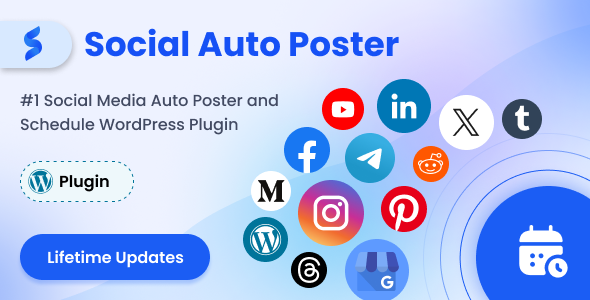
Managing a WordPress website is only half the battle; the other half is ensuring the content you work hard to create actually gets seen. For bloggers, digital marketers, and e-commerce store owners, the repetitive task of copying links, cropping images, and logging into multiple social networks to share a single post is a massive drain on productivity. This is where Social Auto Poster – WordPress Scheduler & Marketing Plugin steps in as a comprehensive automation hub. Developed by the reputable wpweb team, this tool eliminates the manual grind by connecting your WordPress dashboard directly to over a dozen major social platforms. Instead of spending an hour distributing one piece of content, you configure the plugin once, and it handles the syndication instantly, allowing you to focus on creating rather than sharing.
This plugin is not just about saving a few minutes; it is a strategic asset for growing your online presence, boosting SEO through social backlinks, and maintaining a consistent brand voice across the web. Whether you are a solo influencer managing a personal brand or an agency juggling multiple client accounts, the promise of Social Auto Poster is simple: publish once, and let automation handle the rest. It bridges the gap between your CMS and your audience’s newsfeeds, ensuring that your content lifecycle doesn’t end the moment you hit the “Publish” button in WordPress.
Key Features
The feature set of this plugin is extensive, designed to cover every aspect of social media distribution from the initial share to long-term content repurposing. Here are the standout capabilities that make it a robust marketing tool:
- Multi-Network Syndication: Connect and auto-publish to a wide array of platforms including Facebook Pages, Twitter, LinkedIn (accounts & companies), Pinterest, Reddit, Tumblr, Telegram, Medium, Google My Business, Instagram, Threads, YouTube, and even other WordPress sites.
- Advanced Post Scheduling: Go beyond immediate publishing. Schedule content for specific hours and days, or set delays to ensure your posts hit the feed when your target audience is most active, based on timezone insights.
- Quick Share Module: Need to share an announcement or an image without creating a full blog post? The Quick Share feature allows you to push links, images, and messages directly to your networks instantly.
- Reposter Functionality: Breathe new life into your evergreen content. The reposter revives old posts based on age parameters (older than X days, younger than Y days) to keep your feed active without creating new content.
- Category & Tag Targeting: Assign specific social accounts to specific WordPress categories or tags. For example, post dog food content to your Dog Food Facebook Page and cat content to your Cat Page automatically.
- Custom Post Type Support: Fully compatible with custom post types, making it suitable for complex CMS websites, directories, and membership sites, not just standard blogs.
- URL Shortening & Hashtags: Automatically shorten long URLs using Bitly, TinyURL, or Shorte.st to keep messages clean (crucial for Twitter’s character limit). Automatically convert your WordPress tags and categories into hashtags for better discovery.
- Google Analytics Integration: Add your tracking ID to monitor clicks and engagement directly from the plugin, helping you refine your posting strategy based on hard data.
- Bulk Scheduling & Unscheduling: Manage your posting queue efficiently by selecting multiple posts to schedule or unschedule at once, saving hours of manual editing.
- Posting Logs & Debug Logs: Maintain full transparency with a visual dashboard showing successful posts and pie charts of network performance. Debug logs help you quickly identify why a post failed to publish.
- White Label Posting: The plugin posts your content without adding any “Shared by Social Auto Poster” watermarks, ensuring your brand remains the sole focus.
Who Is This For? Use Cases
The versatility of this plugin makes it applicable across a wide spectrum of users, from the solo entrepreneur to the large-scale marketing department. If your workflow involves creating content in WordPress and distributing it elsewhere, this tool is designed for you.
Digital Marketing Agencies & Social Media Managers
For agencies handling multiple clients, the ability to manage unlimited accounts is a game-changer. You can set up distinct social profiles for each client and ensure that content from a specific client’s website goes only to their designated accounts. The Google Analytics integration allows you to generate reports on post performance, proving ROI to clients. The bulk scheduling feature lets you plan a month’s worth of content for all clients in a single afternoon, rather than logging in and out of various dashboards.
E-Commerce Store Owners
Running an online store on WooCommerce or another e-commerce plugin means constantly updating inventory and adding new products. With this plugin, every new product you add can be automatically pushed to your social channels with a custom message. The ability to use custom tags like {CF-PRDPRICE} allows you to display the product price directly in the social post, enticing buyers without them needing to click through immediately. This feature streamlines product launches across Pinterest, Facebook, and Instagram.
Bloggers & Content Creators
For influencers and bloggers, consistency is key to audience retention. However, manually sharing every new article to Twitter, LinkedIn, and Facebook is tedious. This plugin automates that distribution, ensuring that every new blog post is instantly shared with your followers. Furthermore, the Reposter feature is invaluable for reviving your “best of” content. If you have a pillar article that performed well six months ago, you can set the reposter to cycle it back into your feed, driving new traffic to your most valuable assets.
Local Businesses & Service Providers
Businesses with a physical location can benefit significantly from the Google My Business integration. You can automatically share blog posts, offers, and updates to your business profile, improving local SEO and keeping your customers informed. The scheduler allows you to set these posts to go live during business hours when customers are most likely to search for your services. The “Exclude Posting Days” feature ensures you are not spamming your audience on weekends if that is not your strategy.
Technical Details & Compatibility
Understanding the technical requirements is essential before integrating any plugin into your stack. Social Auto Poster is built to be lightweight and compatible with a wide range of WordPress environments. It operates independently of your theme, meaning whether you use a page builder like Elementor or a classic theme, the plugin will function correctly.
The plugin supports connection to 11+ major networks, including Facebook Pages (admin access required), Twitter accounts, LinkedIn profiles and company pages, Pinterest boards, Reddit subreddits, Tumblr blogs, Telegram channels, Medium profiles, Instagram, Threads, and Google My Business locations. It also supports posting to YouTube for video content.
Regarding updates, the developer wpweb maintains a rigorous update schedule. The change log indicates recent updates in 2025 and 2026, including the addition of Instagram Story support, import/export settings, and compatibility fixes with WPML 4.8. This ensures the plugin remains functional as social media APIs evolve. It is also fully translatable, supporting multilingual websites through WPML compatibility. For specific API limitations—such as Facebook’s restriction on personal profile posting or LinkedIn’s removal of group posting—the plugin adheres to the official platform rules, so you get a stable experience without risking account bans.
Pros and Cons
No tool is perfect, and having a clear view of the strengths and limitations helps set the right expectations. Here is a balanced look at what this plugin offers.
Pros
- Massive Time Savings: The core value proposition is undeniable; you save hours weekly by automating distribution.
- Comprehensive Network Coverage: Few plugins support this many networks out of the box, including niche ones like Telegram and Reddit.
- Smart Content Targeting: The category/tag-based posting is incredibly powerful for niche marketing, ensuring the right content goes to the right audience.
- Built-in Analytics: The Google Analytics integration removes the need for a separate tracking plugin for social links.
- Account Safety Features: The built-in recommendations for posting intervals (e.g., 30 minutes between posts) help avoid spam flags and account blocking.
- Lifetime Updates: At $45.00, you get free lifetime updates, which is excellent value compared to subscription-based SaaS alternatives.
Cons
- Facebook Group Posting Not Supported: Due to Facebook API changes, you cannot post to Facebook Groups, which is a limitation for community managers.
- No Personal Facebook Profile Posting: The plugin only supports Pages, not personal timelines, due to official Graph API restrictions.
- Initial Setup Complexity: With so many networks and options, the initial configuration can be overwhelming for absolute beginners, though the settings are logically organized.
- LinkedIn Group Limitations: Similar to Facebook, LinkedIn groups are not supported via the native API, limiting some community engagement strategies.
Frequently Asked Questions
Is Social Auto Poster compatible with WooCommerce and other e-commerce plugins?
Yes, the developer explicitly states that the plugin works seamlessly with almost all e-commerce plugins. It recognizes custom post types created by third-party plugins, which includes WooCommerce products. You can automatically share new products to your social networks, and you can even use custom message tags to display dynamic data like product prices in your social posts.
Does Social Auto Poster support posting to Facebook Pages and Groups?
The plugin fully supports posting to Facebook Pages, provided you are an admin of the page. However, due to the deprecation of the Facebook Group API, posting to Facebook Groups is no longer supported. Similarly, personal profile posting is restricted by Facebook’s official Graph API, so the plugin only handles Page postings.
Can I prevent my social media accounts from being blocked when using this automation tool?
Yes, the plugin includes specific features to minimize the risk of account blocking. It uses unique URLs for Twitter, recommends a minimum posting interval of 30 minutes per post, and suggests limiting schedules to a maximum of five posts per schedule. By following these built-in parameters, you can maintain a safe automation level that mimics human posting behavior.
Final Verdict
In the crowded market of social media schedulers, Social Auto Poster – WordPress Scheduler & Marketing Plugin stands out for its depth of features and its focus on WordPress-native workflows. It is not just a “share my post” button; it is a comprehensive distribution engine that handles scheduling, repurposing, and analytics. With over 5,405 sales and a track record of consistent updates from wpweb, it is a proven solution trusted by a large community of users. The fact that it supports unlimited account configurations and offers lifetime updates for a one-time fee of $45 makes it a financially savvy choice for startups and established businesses alike.
If you are serious about scaling your content marketing efforts without scaling your workload, this plugin is worth the investment. It removes the friction between your website and your audience, ensuring that your voice is heard across the digital landscape. Whether you are looking to automate the mundane or strategize your reposting calendar, this tool provides the necessary infrastructure to elevate your social media game and drive tangible traffic back to your site.