Templater utilities is a WordPress plugin that lets site owners build theme parts — headers, footers, post layouts, archives and WooCommerce templates — inside Elementor instead of editing PHP template files. It works by overriding a theme’s existing layout hierarchy with templates assembled from Elementor widgets and then applying those templates through conditional rules. It is aimed at freelancers, agencies and confident site owners who already use Elementor and want control over the whole page structure, not just the content area.
The plugin sells on ThemeForest for $19 and is developed by a vendor trading under the Templater name. The listing does not disclose a sales figure, so there is no purchase history to weigh up; the assessment below rests on the feature set and the practical implications of how the plugin works.
Templater utilities capabilities that go beyond Elementor’s defaults
Elementor on its own themes the content region. Everything around it — the header bar, the footer, the blog index, the single post shell — belongs to the theme, and changing it means either a theme with a built-in builder or a child theme with custom code. Templater utilities close that gap by registering new template types inside Elementor’s own editor, so the same drag-and-drop interface that styles a landing page can style a site’s chrome.
Template types and where they apply
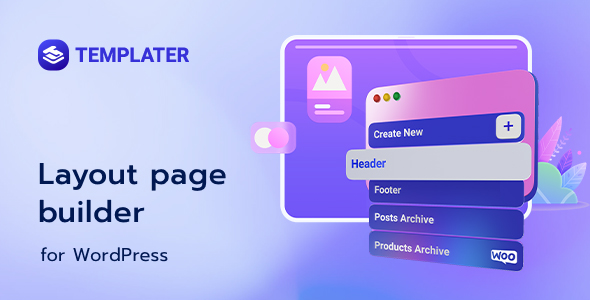
The plugin supports templates for headers, footers, regular posts and pages, custom post types, archive listings, WooCommerce single product pages and product archives. Each template is a normal Elementor document, which means existing design habits transfer directly. The WooCommerce coverage is the most consequential part of that list: product pages are where most Elementor-built shops fall back on whatever the theme provides, and being able to rebuild the gallery, price block and add-to-cart area visually removes a common reason to buy a dedicated WooCommerce theme.
Conditional display rules
A template is only useful if it can be scoped. Templater utilities attach conditions to each template so it can apply site-wide or to specific pages, post types or archives. The interface shows a visual indicator of which conditions are active on each template, which matters once a site has a dozen overlapping layouts — a header for the shop, a different header for the blog, a footer for landing pages. Without that indicator, conditional systems become guesswork.
Sticky headers and saved template reuse
Any header built with the plugin can be made sticky through a single checkbox rather than a separate add-on or custom CSS. Separately, the plugin surfaces templates already saved through Elementor’s own Saved Templates library and lets conditions be assigned to them. That is a genuine workflow gain: designs created before the plugin was installed do not need to be rebuilt, and a library of reusable blocks stays in one place.
The bundled layout widgets
Elementor’s stock widgets are built for static content, not for dynamic post data. Templater utilities ship nine widgets that fill that gap: post content, featured image, post title, post navigation, post info (author, date, time, comments, terms or custom fields), excerpt, comments, an archive posts grid with grid or masonry modes and configurable columns, and an archive title. Post navigation accepts a replacement icon from an icon library or an uploaded SVG, and each widget carries its own alignment, spacing and typography controls. The archive posts and post content widgets are effectively mandatory for building archive and single templates respectively, so they are not optional extras — they are the mechanism.
Practical housekeeping
The plugin ships a POT file for translation, declares RTL support, states compatibility up to WordPress 6 and above, and requires Elementor 3.0 or higher. The vendor claims compatibility with all themes built on Elementor, which is the sensible target but worth verifying against a specific theme before committing a client project. A six-month support term is included for buyers, along with written documentation and an installation guide.
Where Templater utilities fit, and where they do not
The clearest fit is an agency or freelancer maintaining several Elementor sites who wants one consistent method for headers, footers and archives without maintaining a child theme per client. It also suits a site owner who has outgrown a theme’s blog layout and wants a custom post template or archive grid without switching themes — the plugin overrides the theme rather than replacing it, so the visual identity of the rest of the site survives.
WooCommerce stores built on Elementor are a strong second case. Rebuilding a product page or a product archive visually is faster than fighting a theme’s WooCommerce templates, and the conditional system allows different layouts for different product categories.
The wrong choice is a site not built on Elementor. The plugin is an extension of Elementor’s editor, not a standalone builder, and offers nothing to a Gutenberg or page-builder-free installation. It is also a poor fit for a project that needs to be handed to a non-technical editor with no Elementor experience: the plugin adds a layer of conditional logic on top of an already deep interface, and misconfigured conditions produce a site where the wrong header appears on the wrong page — a failure mode that is invisible until someone browses the site.
Strengths and limitations of the layout builder
Strengths
- Extends Elementor’s own editor to theme parts, so there is no second interface to learn and no code required to override a theme’s layout.
- Conditional assignment with a visible indicator of applied rules, which keeps multi-template sites manageable.
- WooCommerce single product and product archive templates are included, not sold as a separate add-on.
- Sticky headers are a checkbox rather than custom CSS or another plugin.
- Existing Elementor Saved Templates can be reused and given conditions, protecting design work already done.
- The nine dynamic widgets cover the fields a post or archive template actually needs, including author, terms and custom information.
- Translation-ready with a POT file and RTL support, which matters for non-English client work.
- At $19 it is priced as an impulse purchase relative to the hours it can save on a single project.
Limitations
- No sales figure is published on the listing, so there is no track record of real-world installs to judge stability against.
- Support is limited to six months, which is short for a plugin that sits in the critical path of every page’s header and footer.
- Everything depends on Elementor. If a site later moves off Elementor, every template built here becomes dead weight, and there is no export path to standard WordPress templates.
- The widget set is deliberately minimal. There is no dynamic repeater, no custom field loop beyond the post info widget’s custom option, and no query controls beyond item count and columns for the archive grid.
- Conditional logic is the plugin’s main failure point. Overlapping rules are easy to create and the consequences are only visible on the front end.
- The vendor’s compatibility claim covers themes built on Elementor; themes that override template hierarchy in unusual ways may conflict, and the listing offers no compatibility list to check against.
How Templater utilities compare with the wider category
The alternatives fall into three groups. The first is a theme that already builds headers, footers and archives in Elementor — common among Elementor-specific themes. That route costs nothing extra but locks the site’s structure to one theme, and switching themes later means rebuilding every layout. Templater utilities invert that: the theme becomes almost irrelevant to structure, and layouts travel with the plugin rather than the theme.
The second group is dedicated header and footer builder plugins. These tend to do one job — usually headers, footers and hooks — with more depth in that one area, and some are free. Where they win is focus; where Templater utilities wins is breadth, because the same conditional system covers archives and WooCommerce templates rather than just the site chrome. A site that only needs a sticky header has little reason to install a full layout system.
The third group is a custom child theme with hand-coded templates. That offers total control and no plugin dependency, but it requires PHP and ongoing maintenance, and it puts layout changes out of reach of anyone who does not write code. Templater utilities trade that permanence for visual editing and a $19 outlay. The honest positioning is that it is a convenience layer for Elementor users, not a replacement for proper theme development on complex projects.
Frequently Asked Questions
Does Templater require Elementor Pro?
No. The listing specifies Elementor 3.0 or higher and does not list Pro as a requirement, and the plugin supplies its own dynamic widgets for post content, titles, images and archives, which is the functionality Pro’s theme builder normally provides. Buyers should confirm current requirements on the listing before purchase, since dependencies can change between releases.
Can Templater create a custom WooCommerce product page?
Yes. Templater utilities include template types for WooCommerce single product pages and product archives, and conditions can scope them to specific products or categories. The templates are built from Elementor widgets, so the product gallery, price and add-to-cart elements come from WooCommerce’s own output rather than being recreated manually.
Will Templater work with any WordPress theme?
It works by overriding a theme’s layout hierarchy, and the vendor states compatibility with themes built on Elementor. Themes that structure their templates unusually may conflict, and the listing provides no compatibility list. Testing on a staging copy with the intended theme is the only reliable way to confirm a fit before rolling out to a live site.
What happens to Templater templates if the plugin is removed?
The templates stop applying and the site reverts to the theme’s own header, footer and archive layouts. The template content is stored in WordPress and remains in the database, but it is not converted into standard theme template files, so removing the plugin means rebuilding those layouts another way if they are still needed.
Verdict on Templater utilities
Templater utilities are worth buying for Elementor users who need control over headers, footers, archives and WooCommerce layouts without touching theme code — particularly freelancers and agencies who want one repeatable method across multiple client sites. The conditional system, sticky header toggle and reuse of saved templates justify the $19 price on a single project. Buyers should not expect a deep dynamic-content toolkit; the widget set is functional but narrow. Those not running Elementor, or those who need long-term support beyond six months, should look elsewhere. The lack of a published sales history means a staging test before a client rollout is the prudent step.