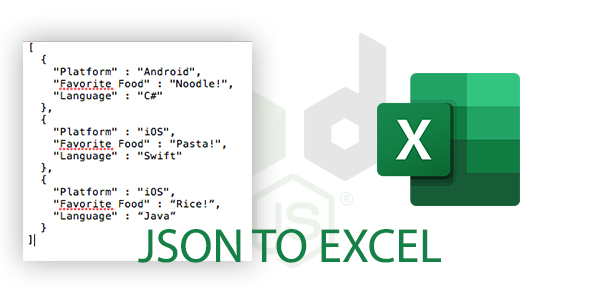
Jsonex is a Node.js and Express-based script that converts uploaded JSON files into Excel spreadsheets, handling four distinct JSON structures including deeply nested objects. It is sold on ThemeForest for $20 as a small source-code package rather than a hosted service, which makes it a reasonable starting point for developers who need JSON-to-spreadsheet conversion inside their own application and are comfortable wiring up a Node project themselves.
The product sits in a narrow but genuinely useful niche. Plenty of online converters exist, but most are third-party websites that a business cannot embed in its own admin panel or internal tooling. Jsonex javascript source gives a developer the conversion logic directly, so the upload endpoint, the parser and the Excel generation all live on infrastructure the buyer controls.
What the Jsonex javascript converter actually does
The core function is straightforward: a user uploads a JSON file through a web form, the server parses it, and the application returns an Excel workbook for download. The interesting part is that the parser is written to cope with more than one shape of input, because real-world JSON is rarely a flat list of identical records.
Four input structures are supported, and the distinction matters more than the feature list suggests:
- Basic array — a top-level array of objects, the classic case produced by most REST APIs and database exports. Each object becomes a row and each key becomes a column header.
- Each value is an object — a structure where the top level is a map rather than a list, so the converter has to treat keys as row identifiers and the nested objects as the row content.
- Describing an object — a single JSON object rather than a collection, which needs a different layout strategy since there is no natural row repetition.
- Nested JSON — objects inside objects, the case that breaks naive converters. Flattening nested paths into column names is the single most valuable capability here, because it is the part most developers end up writing by hand.
File handling is delegated to Multer, the standard Express middleware for multipart uploads, and spreadsheet generation uses an Excel export library. The front end is a single EJS template with one CSS file, and the application logic lives in one main script. That is a deliberately small footprint: there is no build step, no front-end framework, and no database layer to configure.
Because the stack is Express on Node, the converter can be mounted as a route inside an existing application rather than run as a separate service. A team that already runs an Express backend can drop the upload endpoint into its current routing and reuse existing authentication middleware, which is a meaningful practical advantage over a standalone script that assumes it owns the whole server.
Where the Jsonex javascript script fits, and where it does not
The clearest fit is an internal tool. A company that regularly receives JSON exports from a vendor, an analytics platform or an in-house API and needs to hand colleagues a spreadsheet can deploy this in an afternoon and stop emailing files to a public converter site. The same applies to agencies building a small admin panel for a client who insists on Excel output.
A second good fit is a learning or prototyping context. The package is small enough to read end to end, and it demonstrates a complete upload-parse-export cycle in Express without framework noise. A developer who wants to understand how Multer streams work alongside a spreadsheet writer will find the code approachable.
It is also plausible as a component inside a larger SaaS product, provided the buyer is willing to extend it. The conversion logic is the hard part and it is already written; the surrounding concerns — job queues, file size limits, storage, cleanup of temporary files — are not included and would need to be added.
The wrong choice is any situation where a non-technical user is expected to install and run the product. There is no installer, no admin dashboard beyond the upload form, and no documentation beyond what the vendor supplies in the listing. A marketing team wanting a desktop utility should use an established converter application instead. Likewise, anyone who needs scheduled or automated conversions, API-to-API integration, or batch processing of hundreds of files at once will find this is a single-file, form-driven tool and not a pipeline.
Strengths and limitations of the Jsonex javascript package
Strengths
- Handles nested JSON, which is the structure that most simple converters either flatten incorrectly or reject outright.
- Built on Express and Multer, so it integrates with an existing Node backend rather than demanding its own runtime.
- Very small codebase — one EJS view, one stylesheet, one main script — which keeps the audit surface tiny and makes modification realistic.
- No database dependency, so deployment is limited to a Node process and whatever hosting already exists.
- Low price point relative to the time cost of writing a correct nested-JSON flattener from scratch.
Limitations
- The vendor does not publish a live demo, documentation site or changelog in the listing, so buyers are evaluating from a preview and a feature list rather than from a working environment.
- No sales figures or user ratings are disclosed, which means there is no independent signal about how the code behaves in production or how responsive the author is to support requests.
- Column naming for nested structures is not described. How deeply nested keys are joined, and what happens when two branches produce the same flattened name, is left for the buyer to discover in the code.
- There is no stated handling of very large files. A synchronous parse of a multi-megabyte JSON upload inside a single Express request will block, and the listing gives no indication that streaming or worker offloading is included.
- Output formatting options appear limited to the export library’s defaults. There is no mention of column widths, date formatting, multiple sheets or cell styling, so anyone expecting a polished report rather than a raw data dump will need to extend it.
- No TypeScript definitions, test suite or CI configuration are listed among the included files.
How it compares with the alternatives
Buyers researching this category are usually choosing between three approaches: a hosted online converter, a general-purpose spreadsheet library, and a purpose-built script like this one.
Hosted converters win on convenience and lose on everything else. They cannot be embedded, they require uploading potentially sensitive data to a third party, and they typically impose file size caps or paywalls. For one-off conversions of non-confidential data they remain the fastest option, but they are unusable for internal systems handling customer or financial records.
General-purpose libraries — an Excel writer paired with a JSON parser — offer maximum control and are free. The trade-off is that the developer must write the flattening logic, decide how to name nested columns, handle arrays inside objects, and build the upload and download plumbing. That work is not enormous, but it is the exact work this package has already done, and it is the part most likely to produce subtle bugs.
Purpose-built scripts occupy the middle ground. Compared with other converters in the same marketplace category, the differentiator here is the explicit support for four input shapes rather than one, and the Express-native architecture. A script that only handles flat arrays is cheaper to write but fails on the first nested payload it encounters. The limitation of the middle ground is that these packages are typically maintained by a single author with limited support infrastructure, and this one is no exception.
Frequently Asked Questions
Do I need to know Node.js to use Jsonex?
Yes. Jsonex ships as Node source code using Express, Multer and an Excel export module, with no installer or control panel. Running it requires installing dependencies, starting a Node process and hosting it somewhere. A developer familiar with Express can deploy it quickly; someone without JavaScript experience will not be able to get it running without help.
Can Jsonex convert nested JSON into flat Excel columns?
Nested JSON is one of the four supported input types, so the conversion logic is included rather than left to the buyer. What the listing does not specify is the exact naming convention used for flattened keys or how collisions between similarly named nested fields are resolved. That detail has to be confirmed by reading the main script.
Is there a live demo of the Jsonex javascript converter?
The vendor points buyers to a preview for example JSON data but does not publish a hosted demo where files can actually be uploaded and converted. That means the practical behaviour — output layout, error handling on malformed input, performance on large files — cannot be verified before purchase. Buyers should treat the preview as illustrative only.
Does Jsonex work for large JSON files or batch conversions?
The listing makes no claim about file size limits, streaming, or processing multiple files in one request. The architecture described is a single Express upload endpoint, which suggests one file per submission handled within the request cycle. Anyone needing queue-based batch processing should plan to build that layer on top of the conversion logic.
Verdict on the Jsonex javascript package
Jsonex javascript is worth buying for developers who already run a Node and Express stack, need to convert uploaded JSON into Excel inside their own application, and specifically need nested structures handled without writing the flattener themselves. At $20 the calculation is simple: if the nested-JSON logic saves more than an hour of work, it pays for itself. The author has kept the package deliberately lean, which makes it easy to read and adapt.
It is the wrong purchase for anyone without JavaScript experience, for teams needing a hosted tool with a user interface, and for projects requiring batch processing, scheduling or highly formatted spreadsheet output. The absence of a live demo, published sales figures and any documentation beyond the listing means the buyer is taking a small but real risk on code quality and ongoing support. Treat it as a starting point to be extended, not a finished product.