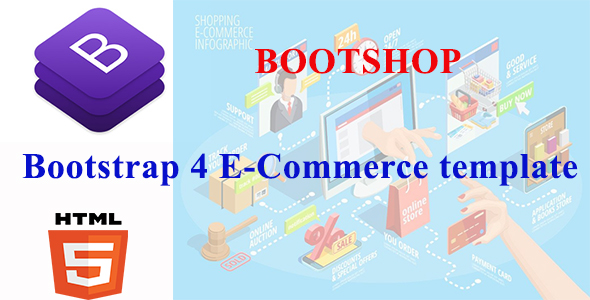
BootShop Ecommerce is a starter template for building online storefronts and administration panels on ASP.NET Core MVC, packaged with a Bootstrap 4 front end and CRUD-driven DataTables. It ships as a set of pre-built pages and UI components rather than a finished shop, so its natural buyer is a .NET developer or agency that wants a running starting point instead of a blank project. The listing sits on ThemeForest at $19 with no publicly disclosed sales history.
The name is slightly misleading in a useful way. BootShop is not a hosted store platform and not a WordPress-style theme; it is source code a developer opens in Visual Studio, extends, and deploys. That distinction shapes almost every judgement below, because the value of a starter template depends entirely on how much scaffolding it removes from the first weeks of a project.
What BootShop Ecommerce Actually Provides
The deliverable splits into two halves that are worth assessing separately: a customer-facing storefront and an administrative back end.
Eight homepage layouts and a full shop flow
The front end carries eight homepage variations alongside more than 25 supporting pages. Those pages cover the full purchase path — product listing, product detail, cart, checkout — plus the surrounding furniture a real store needs: account pages, a blog section, seller listings, and the usual authentication screens (login, registration, password recovery, lock screen, email confirmation), each offered in two variations. Ten modal windows handle common interactions, and the navigation system includes four mega menu dropdown variants and four footer layouts. For a developer who has ever spent three days building a checkout form that looks presentable, that breadth is the main attraction.
An admin panel with genuine component depth
The dashboard side is where the template goes beyond skin deep. It runs on Bootstrap 4.4.1 and includes advanced DataTables for tabular CRUD work, which is the piece most starter kits skip. Beyond tables, the component inventory covers Select2, date range pickers, input masking, a form wizard, timepickers, a spinner, a max-length validator, drag-and-drop via Dragula, multi-file uploads, two WYSIWYG editors (Summernote and SimpleMDE), toast notifications, and both Google and vector maps. Layout options include vertical, horizontal, detached sidebar, and boxed fixed-width arrangements, with several sidebar colour themes.
Sample application pages round this out: a dashboard, profile, invoice, FAQ, timeline, pricing, maintenance, and 404/500 error screens. The invoice page in particular is the kind of thing that is tedious to build and rarely prioritised, so having one ready is a small but real saving.
Documentation and precompiled assets
Each component is documented with an example and a code block, and precompiled files are included for developers who do not want to run a build pipeline. The markup is stated as W3C valid. A one-page landing template is bundled as well.
Where BootShop Ecommerce Fits, and Where It Does Not
The clearest fit is a .NET team that needs to demonstrate or ship an e-commerce administration interface quickly. If the back end is already ASP.NET Core MVC and the front end needs to look credible to stakeholders within a sprint or two, the combination of DataTables CRUD screens, a form wizard, and a complete set of auth pages removes a large amount of undifferentiated work.
A second fit is a SaaS product that needs a billing or order-management panel bolted onto an existing application. The vendor explicitly positions the admin side for SaaS-style interfaces, and the layout variants — detached sidebar, boxed, horizontal — make it easier to match an existing product’s visual language than a single fixed layout would.
A third, narrower fit is a freelancer building a prototype or proof of concept for a client pitch, where the goal is a convincing clickable storefront rather than production code.
Where it is the wrong choice: anyone who wants a working store without writing server-side code. There is no payment gateway integration, no inventory logic, and no order-processing engine described in the listing — the DataTables and CRUD scaffolding give a developer somewhere to build those things, not the things themselves. A shop owner comparing this against a hosted e-commerce platform will be disappointed. Likewise, a team standardised on Laravel, Django, or Node has no reason to adopt an ASP.NET Core template; the front-end HTML could be lifted, but the value proposition collapses.
Strengths and Limitations
Strengths
- Unusually complete admin component set for the price. Advanced DataTables, form wizard, dual WYSIWYG editors, drag-and-drop, and masked inputs at $19 is a low-risk purchase for a .NET project.
- Full authentication screen coverage. Login, register, logout, recover password, lock screen, and confirm mail, each in two variations, is more than most starter templates bother with.
- Layout flexibility. Four structural layouts and multiple sidebar themes mean the admin panel can be adapted rather than rebuilt.
- Precompiled assets included. Teams without a front-end build step can still deploy.
- Documented components. Example-plus-code-block documentation for each component reduces the guesswork when extending.
Limitations
- Bootstrap 4.4.1 is a dated foundation. Bootstrap 4 is no longer the current major version, so a team starting a new build inherits an older grid and utility system, with a migration cost later.
- No stated backend depth. The listing describes CRUD DataTables and MVC structure but does not specify the data access layer, authentication implementation, or database schema. Buyers should check the demo before assuming Entity Framework Core or Identity is wired up.
- Storefront is presentation-layer only. Cart and checkout pages exist as interfaces; no payment, tax, shipping, or inventory logic is described.
- No disclosed sales or review history. There is no track record to weigh, which raises the importance of inspecting the live demo and the documentation before purchase.
- Heavy component load. Maps, two editors, Select2, date pickers, and drag-and-drop all bundled into a template can bloat page weight if not pruned per page.
How It Compares With Other Starter Templates
Starter templates in this category generally fall into two groups: pure HTML/CSS kits that provide markup with no server-side structure, and framework-specific starters that bundle a particular stack’s conventions. BootShop Ecommerce belongs firmly to the second group, and that is its differentiator. An HTML-only kit is cheaper to produce and stack-agnostic, but leaves the developer to invent the MVC wiring, the DataTable integration, and the CRUD screens. A framework-specific starter saves that work but locks the buyer into ASP.NET Core MVC.
Against admin-panel templates specifically, BootShop’s advantage is that it pairs a storefront with the dashboard rather than offering only one. Many admin templates include an e-commerce section as an afterthought; here the shop pages — product listing, detail, cart, checkout, seller listing — are treated as first-class. The trade-off is that neither half is as deep as a dedicated product: it is not the most complete storefront template available, nor the most exhaustive admin kit.
On price, $19 places it at the low end of commercial templates. That framing matters: the realistic comparison is not against premium enterprise starters but against the developer hours required to assemble equivalent screens. Judged that way, the economics are straightforward for anyone already working in .NET.
Frequently Asked Questions
Is BootShop Ecommerce a complete online store or a template?
It is a template, not a functioning store. BootShop Ecommerce provides pre-built storefront and admin pages — product listings, cart, checkout, order management screens — built on ASP.NET Core MVC and Bootstrap 4. Payment processing, inventory rules, and order fulfilment logic must be implemented by a developer. It is a starting point for building a store, not a store that can be launched as delivered.
What technology stack does BootShop require?
It requires ASP.NET Core MVC with Bootstrap 4 on the front end. The template is built for Microsoft’s .NET Core MVC framework, so a working knowledge of C#, Razor views, and the MVC pattern is necessary to extend it. Developers from PHP, Node, or Python backgrounds would need to port the markup manually, which removes most of the time-saving benefit.
Does BootShop include payment gateway integration?
No payment gateway integration is described in the product listing. The checkout and cart pages exist as interface templates, but no processor — such as Stripe or PayPal — is named as connected. Buyers should assume they will wire up payment handling themselves, and should confirm this against the live demo and documentation before purchasing.
Is Bootstrap 4 a problem for a new project?
It is a consideration rather than a blocker. Bootstrap 4.4.1 is an older major version, so a project started today inherits a slightly dated grid and utility system. For internal admin panels the practical impact is small; for long-lived public storefronts, teams should factor in a future migration to a newer Bootstrap release.
Verdict
BootShop Ecommerce is worth buying for .NET developers and agencies who need a credible ASP.NET Core MVC storefront and admin panel up quickly, and who understand that the template supplies structure and presentation rather than business logic. The component breadth, authentication page coverage, and layout flexibility justify the $19 price for that audience with little hesitation. It is not the right purchase for shop owners seeking a turnkey store, for teams on other frameworks, or for projects that require a current Bootstrap version from day one. The absence of a public sales and review record means the live demo deserves a careful look before checkout, particularly around how the DataTables CRUD and data layer are actually implemented.