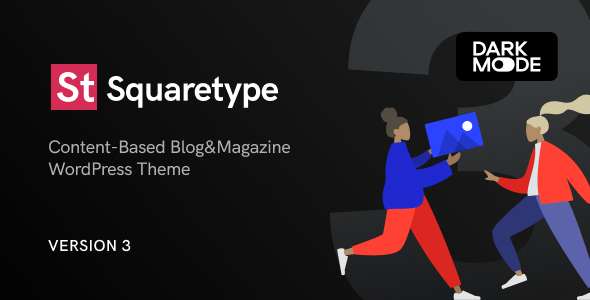
Building a content-driven website that stands out requires more than just a theme that looks good in a screenshot. You need a foundation that balances aesthetic flexibility, performance, and editorial functionality. The Squaretype – Modern Blog WordPress Theme by codesupplyco attempts to solve this exact problem. Designed specifically for content-based blogs and online magazines, this theme shifts away from rigid layouts, offering a modular system where you can swap entire designs without losing your existing posts. With over 2,700 sales on ThemeForest, it has established a footprint in the WordPress community. This article examines the theme’s architecture, its key features, and whether it is the right investment for your publishing workflow.
Key Features
Squaretype is not a single design but a framework containing multiple distinct visual styles. The development team has packed a significant number of tools into this package. Here are the most critical features that define the user experience:
- Demo Switcher: Unlike traditional themes that require a fresh install for a new look, Squaretype allows you to apply any of the nine included demo layouts at any time. This process preserves your existing content, meaning you can change the entire aesthetic of your blog without rebuilding pages or re-uploading images.
- Hero Section Variations: The homepage hero area supports multiple layouts. You can choose between a solid color background, a gradient, or a featured post image. The size of the heading is adjustable, and you have full control over the sidebar content, including numbered post lists, widgets, or custom HTML for advertisements.
- Smart Color Logic: The theme uses automated color detection. If you select a dark background for the header or footer, the text and link colors automatically shift to white. This reduces the number of options you need to configure manually and prevents contrast errors.
- Dynamic Mega Menu: The menu supports unlimited levels and displays recent posts with thumbnails. Importantly, this content loads dynamically via AJAX only when the user hovers over the parent item, ensuring the menu does not bloat the initial page load time.
- Multiple Archive Layouts: You are not locked into a single post display format. The theme supports grid, list, full-width, timeline, and masonry layouts for both the homepage and archive pages.
- Sticky Sidebar & Navigation: The sticky sidebar uses native browser positioning, which prevents the flickering issues common on mobile devices. The navigation bar offers three modes: always sticky, sticky only on scroll-up, or completely static.
- Content Injection System: This signature feature allows you to insert ad codes, subscribe forms, or shortcodes into specific template parts—such as under the header or after the post content—without editing PHP files or using a child theme.
- Powerkit Integration: The theme is bundled with the developer’s in-house plugin, Powerkit. This adds essential modules for social sharing, follower counters, opt-in forms, lightbox, lazy load, and justified galleries directly into the WordPress customizer.
- Performance Optimization: The CSS is built without dependencies like Bootstrap. The theme adheres to WordPress Coding Standards and is checked with Query Monitor to reduce database requests.
Who Is This For? Use Cases
The target audience for Squaretype is broad, but it centers on publishers who prioritize content hierarchy and readability. It is not a theme for a static business brochure site; it is built for dynamic, frequently updated platforms.
Independent Journalists and News Aggregators
If you run a niche news site or a local magazine, the category filter feature is essential. It allows sub-category navigation directly on category pages. This helps readers drill down from “World News” to “Economy” without using the search bar. The multiple page header types (image overlay or compact) allow you to differentiate between breaking news and feature stories.
Lifestyle and Travel Bloggers
The visual nature of travel and lifestyle content demands high-quality image presentation. The built-in support for Pinterest integration (Pin It buttons) and the Instagram feed widget help drive cross-platform traffic. The slider galleries and justified gallery formats allow you to create immersive photo essays directly within the WordPress editor, without relying on external page builders.
Digital Publishers and Ad-Supported Sites
Monetization is a core focus here. The theme includes numerous predefined ad spots within the customizer, allowing you to paste AdSense or Mediavine code snippets without touching template files. The sticky sidebar option is specifically designed to keep an ad widget visible as the user scrolls, potentially increasing viewability and click-through rates.
Multi-Author Magazines
Managing a team of writers is simplified with the Co-Authors Plus plugin support. This allows you to assign multiple authors to a single post or credit guest writers without creating separate user accounts. The dedicated Contributors Page displays avatars, bios, and recent articles for every author, adding credibility to your editorial team.
Technical Details & Compatibility
For developers and site owners concerned about the technical stack, Squaretype is built on a modern foundation. The theme is fully responsive and tested on physical devices and emulators. It is Retina-ready, ensuring typography and vector elements remain crisp on high-density displays.
Compatibility is a strong suit. The theme supports RTL languages (Arabic, Hebrew, Persian) out of the box. For multilingual sites, it is compatible with both WPML and Polylang. It includes built-in styles for the Yoast SEO breadcrumbs, ensuring they appear styled correctly without extra CSS work.
The theme is translation-ready with a .pot file included. For performance, it uses the REST API for dynamic features like the mega menu and the “Load More” pagination, which is faster than traditional admin-ajax calls. The theme also supports the official WordPress AMP plugin, with styles that match the main site design.
Regarding image optimization, the theme generates a minimal number of thumbnails, reducing server storage usage. It does not upscale images; it serves them close to their original size to prevent unnecessary data download.
Pros and Cons
No theme is perfect for every user. Here is a balanced look at the strengths and potential drawbacks of Squaretype based on the feature set.
Pros
- Unmatched Flexibility: The Demo Switcher is a rare feature. The ability to change the entire site design without losing content is a massive advantage for rebranding or seasonal redesigns.
- Built-In Monetization Tools: The predefined ad spots, sticky sidebar, and floating share buttons are designed to maximize revenue without requiring additional plugins.
- Performance First: By avoiding heavy frameworks and using dynamic loading for menus, the theme prioritizes fast loading times, which is critical for SEO and user retention.
- Developer Friendly: The theme is built with hooks and filters, making it safe to customize via child themes. The clean codebase adheres to WordPress standards.
- Comprehensive Social Integration: From Facebook comments to Twitter feeds and Pinterest cover images, the theme handles social media natively through Powerkit.
Cons
- Dependency on Powerkit: While Powerkit adds functionality, it is a required plugin. Some users prefer themes that rely solely on standard WordPress features to reduce plugin overhead.
- External Service Reliance: Features like social follower counts and share counts depend on third-party APIs. If these services change their terms or block requests, those specific numbers may stop displaying.
- Learning Curve for Options: The sheer number of options in the customizer can be overwhelming initially. While the live preview helps, configuring the perfect layout takes time.
- Demo Content Limitations: The demo images are not included, and some site-specific settings (like social links) must be configured manually after import.
Frequently Asked Questions
Is Squaretype compatible with the Gutenberg block editor?
Yes. While the theme provides its own styling for galleries and shortcodes, it is fully compatible with the native WordPress block editor (Gutenberg). The built-in styles for WordPress galleries ensure that standard blocks look polished without requiring additional CSS. The theme also adds a shortcode generator to the editor toolbar for elements like tabs, accordions, and buttons.
Does this theme work with WooCommerce?
The product description does not specifically mention WooCommerce integration. The theme is categorized for blogs and magazines, focusing on content publishing rather than e-commerce. While you could technically install WooCommerce, the theme does not advertise dedicated shop styling or cart widgets. If your primary goal is to sell physical or digital products, you may want to look at a theme specifically optimized for WooCommerce.
What kind of support and updates are included with the purchase?
The theme is developed by codesupplyco, an Elite Author on ThemeForest. Support is provided through a ticket system on their dedicated support site, with responses generally within 24 hours on weekdays and up to 48 hours on weekends. The price of $59.00 includes lifetime updates, ensuring the theme remains compatible with future WordPress core releases.
Final Verdict
The Squaretype – Modern Blog WordPress Theme is a robust solution for publishers who demand design flexibility without sacrificing performance. The Demo Switcher alone justifies the price for agencies managing multiple client sites, as it allows for rapid visual changes without content migration risks. The integration of Powerkit reduces the need for a dozen separate plugins, streamlining the backend experience.
With 2,758 sales and a track record from the developer behind the popular Authentic theme, it is a credible choice. The $59.00 investment is competitive when you consider the included features: ad management, social sharing, lazy load, and a mega menu—many of which would require premium plugins purchased separately.
If you are starting a new content site or looking to rebrand an existing blog, Squaretype offers a modern, clean, and technically sound foundation. It handles the heavy lifting of speed optimization and layout design, allowing you to focus on writing. To see if the demo layouts match your vision, visit the ThemeForest preview and test the Demo Switcher yourself. It is a risk-free way to explore a theme that could define your website’s identity for years to come.
![FOX – WooCommerce Currency Switcher Professional – Multi Currency [WOOCS] Nulled](https://wpdominator.xyz/wp-content/uploads/2025/06/noimage.jpg)