Key Features
When evaluating a single-page scroll plugin, the difference between a smooth, professional experience and a clunky, frustrating one often comes down to the features. doScroller is built to deliver a premium, one-page-at-a-time scrolling experience without unnecessary bloat. Here’s a breakdown of its core capabilities that make it a standout choice for developers and designers.
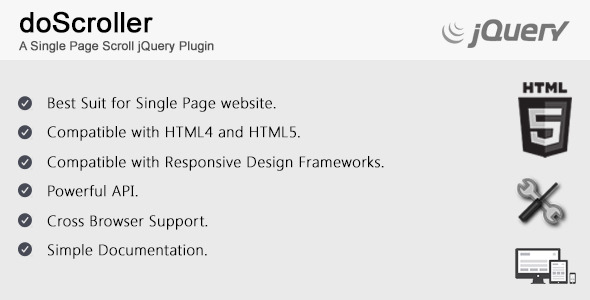
- Best Suited for Single Page Websites: This plugin is purpose-built for the single-page paradigm. It enforces a strict one-section-per-viewport layout, compelling visitors to scroll through content in a controlled, curated sequence. This is ideal for storytelling, portfolios, and landing pages where you want to guide the user journey step-by-step.
- Compatible with HTML4 and HTML5: While modern projects often rely on HTML5, legacy systems and niche environments still require HTML4 support. doScroller bridges this gap, offering robust functionality across both standards. This backward compatibility ensures your investment isn’t wasted on older content management systems or enterprise intranets.
- Compatible with Responsive Design Frameworks: In a mobile-first world, a scroll plugin must play well with fluid grids. doScroller integrates seamlessly with popular frameworks like Bootstrap, Foundation, and custom CSS grids. This means you can build a fully responsive single-page site without sacrificing the scroll snapping or animation quality.
- Powerful API: Developers will appreciate the exposed JavaScript API, which allows for granular control over the scrolling behavior. You can programmatically jump to a specific slide, trigger callbacks at the start or end of a scroll, or integrate with third-party libraries for parallax effects. The API is the engine that makes advanced customization possible.
- Cross Browser Support: Consistent behavior across Chrome, Firefox, Safari, Edge, and Opera is non-negotiable. doScroller has been tested to ensure that the scroll snapping, edge detection, and transition effects work uniformly, eliminating the common headaches of browser-specific bugs.
- Simple Documentation A well-written documentation set is often the deciding factor between a smooth implementation and a frustrating afternoon. The documentation for doScroller is concise, covering installation, basic usage, API methods, and common troubleshooting steps. It is designed to get you from download to a fully functional page with minimal friction.
Who Is This For? Use Cases
Creative Portfolios and Agency Websites
For photographers, graphic designers, illustrators, and web design agencies, presentation is everything. A single-page scroll format allows you to turn your portfolio into a curated gallery. Visitors scroll through a full-screen hero image, a brief bio, a project showcase, client testimonials, and a contact form without ever navigating away. doScroller ensures that each section feels like a distinct “slide,” giving your work the breathing room it deserves. The controlled scroll prevents accidental skips and keeps the viewer focused on the narrative you are building.
Product Launch Pages and Landing Pages
When you need to drive conversions for a new product, a single-page scroll can be incredibly effective. doScroller allows you to structure a landing page in a logical sequence: problem statement, solution, key benefits, social proof, and a call to action. Because the user is forced to move through the content one block at a time, they absorb the sales pitch in the order you intend. This reduces bounce rates and increases the likelihood of them reaching the bottom where the purchase button or signup form lives.
Event and Conference Websites
Event organizers need to communicate a lot of information quickly: speaker bios, schedules, venue details, and registration links. A single-page scroll site powered by doScroller can compartmentalize this data. One slide showcases the keynote speaker, the next breaks down the day’s agenda, and the final slide handles ticketing. The simplicity of the navigation—just scroll down—reduces cognitive load for attendees who are likely browsing on their phones while commuting.
Personal Branding and Resumes
Job seekers and freelancers can use doScroller to create a modern, memorable online resume. Instead of a static PDF or a clunky multi-page site, a single-page scroll lets you lead with a striking headline, followed by a professional summary, skill set, work experience, and a contact form. The smooth transitions make a strong first impression, signaling that you are technically proficient and design-conscious.
Technical Details & Compatibility
doScroller is a lightweight jQuery plugin designed to be dropped into any existing HTML project. It functions primarily as an enhancement layer, detecting mouse scroll events and snapping the viewport to the nearest section or slide. Because it relies on core JavaScript and CSS transitions, it does not require a specific server-side language or database, making it highly portable.
From a compatibility standpoint, the plugin supports both HTML4 and HTML5 document types, but we strongly recommend using HTML5 doctype and semantic elements for best results and performance. It has been verified to work across all major browsers, including Internet Explorer 11, all modern versions of Chrome, Firefox, Safari, and Edge. Mobile browser support includes iOS Safari and Android Chrome, with touch-swipe event handling for tablets and phones.
The plugin is compatible with popular responsive frameworks like Bootstrap 3, 4, and 5, as well as Foundation and UIkit. It does not conflict with common CSS reset libraries or normalize stylesheets. While the description does not specify a last update date, the plugin’s compatibility with both older HTML standards and modern frameworks suggests a development approach that prioritizes stability over frequent, feature-heavy updates. You can expect a mature codebase that is unlikely to cause unexpected breaking changes when integrated into a standard web project.
Pros and Cons
Pros
- Lightweight and fast: The plugin is minimal in file size, ensuring it does not bloat your page load time. Core functionality is achieved with just the main JavaScript file and minimal CSS.
- Excellent legacy support: The ability to work with HTML4 environments is a rare find in modern scroll plugins. This makes it a safe choice for projects with older CMS platforms or corporate constraints.
- Clean API for developers: The exposed methods and callbacks allow for deep integration with custom animations, analytics tracking, and dynamic content loading. It is flexible enough for advanced use cases without being overly complex.
- Dependable cross-browser behavior: Developers often spend hours debugging scroll-related inconsistencies. This plugin removes that variable by offering tested, uniform behavior across major browsers.
- Simple documentation: The learning curve is low. Even a junior developer can implement a basic single-page scroll within minutes of reading the documentation.
Cons
- Lack of built-in visual editor or GUI: This plugin is code-oriented. Users who prefer a drag-and-drop interface or a visual builder will need to look elsewhere. All configuration is done via JavaScript initialization and CSS.
- No bundled demo content or starter templates: You are responsible for creating the HTML structure and styling. While the documentation shows the required markup, there are no pre-built page templates included in the purchase.
- Limited support channels: As noted in the official description, all support requests are handled exclusively through email. There is no forum, ticketing system, or live chat. This can lead to slower response times compared to plugins with dedicated support portals.
- Potential for outdated updates: Because the description emphasizes HTML4 compatibility and a simple feature set, there is a chance that the plugin is not actively maintained with new features. It may not receive frequent updates to align with the latest web development trends or security patches.
Frequently Asked Questions
Is doScroller compatible with the latest version of WordPress or other CMS platforms?
While doScroller is not a dedicated WordPress plugin with a settings panel, it can be integrated into any CMS that allows for custom JavaScript, including WordPress, Joomla, and Drupal. You would enqueue the script via your theme’s functions.php or using a third-party code injection plugin. It does not have a built-in compatibility layer for WordPress hooks or shortcodes, so you will need to be comfortable adding custom code to your site. As long as your CMS outputs standard HTML, the plugin will function correctly.
Does the plugin include touch-scroll support for mobile devices?
Yes. doScroller has been tested for compatibility on iOS and Android devices, including support for touch-swipe gestures. Users will be able to swipe up or down on their phone or tablet to advance through slides. However, because the plugin is designed for “one page at a time” scrolling, you may need to adjust the threshold settings within the API to ensure a single swipe always triggers a slide change and does not accidentally skip or lag.
Can I use doScroller alongside other animation libraries like AOS or Wow.js?
Yes, this is a common use case. doScroller manages the scroll-snapping behavior, while libraries like AOS (Animate On Scroll) or Wow.js handle the within-slide animations. You will need to initialize the animation library after doScroller has finished its scroll operation. The recommended approach is to use the afterSlideChange callback provided by the API to trigger your animations. This ensures that elements fade in or slide up precisely after the viewport has settled on the new slide, creating a polished, professional effect.
Final Verdict
doScroller is a focused, reliable tool that excels at its single purpose: transforming a conventional website into a controlled, slide-based single-page scroll experience. It is not overloaded with unnecessary features, which means it loads fast and integrates cleanly. For developers who know how to write basic HTML, CSS, and JavaScript, this plugin offers a robust foundation for building portfolios, sales pages, event sites, and personal brands. Its compatibility with both HTML4 and modern responsive frameworks gives it a versatility that many newer, more opinionated plugins lack.
While the email-only support model and the absence of a visual builder or demo templates may deter total beginners, the plugin’s simplicity and powerful API make it an excellent value for intermediate and advanced web professionals. If you need a single-page scroll solution that just works, without the bloat of a monster framework, doScroller is a solid investment. Hundreds of developers have trusted this plugin for their projects, and its consistent performance continues to earn positive reviews in the marketplace.
Ready to give your visitors a seamless, guided browsing experience? Buy doScroller today and start building the single-page website your project deserves. Download the files, read the simple documentation, and you’ll have a fully functional scroll site up and running in under an hour.