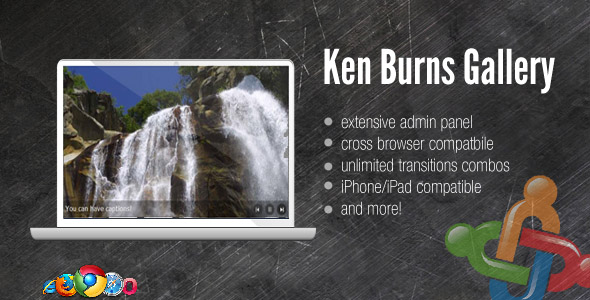
The Ken Burns effect—that cinematic, slow zoom-and-pan motion applied to still images—has become a staple of premium web design. It turns static photography into an engaging visual story, instantly adding a layer of polish and professionalism to any website. For Joomla users, finding a reliable, feature-rich plugin to deliver this effect without a mountain of manual coding can be a challenge. The Ken Burns Gallery plugin from Digital Zoom Studio solves this problem directly, bringing a powerful, CMS-driven gallery experience directly into your Joomla 2.5 environment. This plugin isn’t just about one animation trick; it offers a comprehensive toolset for image management, customizable transitions, and a sleek user interface, all controlled from a dedicated admin panel. For photographers, creative agencies, or any business looking to elevate their homepage, this plugin provides the perfect blend of artistry and functionality without requiring deep technical expertise.
Key Features
The Ken Burns Gallery plugin is packed with practical features designed to streamline your workflow and enhance your site’s visual appeal. Here is a breakdown of the core functionalities that set it apart from standard Joomla image sliders:
- Integrated CMS Admin Panel: Forget the traditional method of manually uploading images via FTP to a server folder. This plugin integrates a dedicated Joomla admin panel that allows you to select images, upload new ones directly, and customize effects—all from a single, centralized interface. This saves time and reduces the risk of file management errors.
- The Iconic Ken Burns Effect: The plugin’s namesake feature is its core strength. It smoothly animates your images with a subtle zoom and pan, creating a cinematic slideshow that captures visitor attention. This effect is notably more dynamic than a simple crossfade, making your content feel alive and high-end.
- Flexible “Simple Slider” Mode: Not every scene calls for motion. The Ken Burns effect is completely optional and can be disabled globally or on a per-image basis. This allows the plugin to function as a classic, static slider when needed, giving you full creative control over the user experience without being locked into a single animation style.
- Simple Transition Defaults: Out of the box, the plugin is configured to work immediately. If you don’t modify any transition settings, it will operate as a clean, straightforward slider. This makes installation and initial setup incredibly accessible for beginners while still offering depth for advanced users who want to tweak every detail.
- Creative Freedom: By combining the toggleable effects with the easy-to-use CMS panel, the plugin encourages experimentation. You are not just installing a widget; you are unlocking a tool to be creative with your site’s storytelling, blending static and dynamic elements across your galleries.
Who Is This For? Use Cases
The versatility of the Ken Burns Gallery plugin makes it suitable for a wide range of Joomla-powered websites. Its ease of use and professional output appeal to both novices and experienced site administrators. Here are a few specific scenarios where this plugin truly shines:
Professional Photographers and Visual Artists
If you make a living with a camera, your website is your gallery. Simply displaying a grid of thumbnails fails to do justice to your high-resolution work. By using the Ken Burns Gallery plugin, you can present your portfolio as a cinematic experience. The subtle motion draws the viewer’s eye to the key details of each photograph, mimicking the experience of viewing a curated slideshow. This plugin is ideal for wedding photographers, landscape artists, and commercial shooters who need a polished online presence that matches the quality of their prints.
Creative Agencies and Design Firms
Agencies need to make a bold impression instantly. The homepage is prime real estate for high-impact visuals. This plugin allows you to create a stunning hero slider with key client work. You can easily manage the images from the Joomla backend without bugging a developer to update files. The ability to mix static images and Ken Burns effects allows you to highlight specific “hero” projects while keeping other slides subtle, creating a dynamic narrative that reflects the agency’s innovative approach.
Small Business Owners Using Joomla
For small to medium-sized businesses, maintaining a professional website is crucial but often consumes valuable time. The CMS admin panel is a lifesaver here. The business owner can log into Joomla, go to the plugin’s admin panel, and upload new product photos or promotional banners in seconds. The default setting of acting as a simple slider means even those with minimal technical skill can deploy a professional-looking homepage feature immediately, then gradually experiment with the Ken Burns effects as they get more comfortable.
Technical Details & Compatibility
Understanding the technical foundation of a plugin is essential before you commit to it. The Ken Burns Gallery plugin is specifically engineered for Joomla, with a particular focus on legacy users. Here are the key technical specifications:
- Current Version: The plugin is available in version 1.2, which includes specific bug fixes for stability.
- Joomla Compatibility: The plugin is explicitly compatible with Joomla 2.5. Additionally, there is confirmation of continued support for Joomla 1.5, as evidenced by the update history fixing a bug specific to that version. This makes it a viable option for site owners who have not yet migrated to newer Joomla releases.
- MVC Architecture: The plugin is built following Joomla’s Model-View-Controller (MVC) standard. This is a significant indicator of code quality, ensuring that the plugin is structured logically, easier to maintain, and less likely to conflict with other standard Joomla extensions.
- Installation & Support: Installation is managed directly within the Joomla administrative back-end. The developer offers free support through an official forum, which is noted as the fastest route to resolving any setup issues. The developer is Digital Zoom Studio, a known entity in the extension market.
Pros and Cons
When evaluating any extension, it is important to weigh the benefits against the limitations. This balanced look provides an honest assessment of what the Ken Burns Gallery plugin offers.
Pros
- User-Friendly Management: The built-in CMS panel eliminates the need for FTP clients or cPanel file managers, making image updates a breeze for content managers.
- High Visual Impact: The Ken Burns effect is a proven method for increasing user engagement and making a site look significantly more expensive and bespoke.
- Flexibility: The option to disable the effect for specific images provides a level of granular control that many generic sliders lack.
- Out-of-the-Box Functionality: It works immediately with default settings, reducing the initial learning curve.
- Free Updates & Support: The developer provides updates and forum support free of charge, adding ongoing value to the purchase.
Cons
- Legacy Joomla Version: The primary focus is on Joomla 2.5 and 1.5. If you are running the latest Joomla 4 or 5, this plugin may not be compatible. You would likely need to check for a separate, updated version from the author.
- Limited Visual Editing: The “CMS panel” focuses on functionality rather than visual/on-page drag-and-drop editing. You make changes in the backend, then preview the front end to see the results, which may require a bit of back-and-forth.
- No Live Preview in Admin: The admin panel allows you to customize effects, but it does not mention an integrated live preview. This means you need to save and view the front-end to see your changes, which is a minor inefficiency.
Frequently Asked Questions
Is this plugin compatible with the latest version of Joomla?
Based on the available product information, this specific plugin version is built for Joomla 2.5 and supports Joomla 1.5. It does not explicitly state compatibility with Joomla 3.x, 4.x, or 5.x. If you are running a recent installation of Joomla, you will need to verify if Digital Zoom Studio offers a separate, updated version of this product for your platform, as installing a 2.5 plugin on a modern framework will result in errors.
Can I use this as a standard slider without the zoom and pan effect?
Yes, absolutely. The plugin is designed with this flexibility in mind. The Ken Burns effect is optional on a global scale and even on a per-image basis. If you leave the transition settings untouched, the gallery will function as a standard, clean image slider. This is particularly useful if you want a professional look but prefer a more subtle, static presentation for your content.
How does the image upload process work in the admin panel?
The plugin is designed to simplify content management. Rather than using external FTP software, you can manage your gallery images directly from the Joomla administrator dashboard. The CMS panel allows you to upload new images from your computer directly to the gallery and select existing images from your Joomla media library, streamlining the entire workflow and saving you significant time.
Final Verdict
The Ken Burns Gallery plugin from Digital Zoom Studio represents a solid, reliable option for Joomla enthusiasts who want to add a professional polish to their sites. It strikes a unique balance between the “wow” factor of cinematic effects and the practical need for easy content management. The primary strength lies in its user-centric admin panel, which demystifies the process of updating imagery—a task that is often overly complicated in CMS environments. While the plugin’s compatibility timeline is rooted in the Joomla 2.5 era, it remains a functional choice for users on those platforms, and the author’s track record of providing free updates and dedicated forum support adds significant value to the initial purchase.
When you consider the visual impact this can have on a portfolio, corporate site, or blog, the price is a minimal investment for a substantial return in perceived quality. It is crafted for those who appreciate aesthetics but demand simplicity. If you are currently using Joomla 2.5 and feel your website lacks a dynamic edge, or if you simply want to streamline how you manage homepage imagery, this plugin is a worthy consideration. Your images deserve to be seen, not just displayed. Elevate your site’s storytelling today by integrating the Ken Burns effect. Click the buy button and start transforming your Joomla website into a cinematic experience.