CSS Pricing Tables 3 is a lightweight front-end asset sold on ThemeForest that provides eight pre-built pricing table layouts written entirely in CSS, with no JavaScript dependency. It is aimed at developers and site owners who need to drop a comparison table for hosting plans, subscription tiers or service packages into an existing page without installing a plugin or writing a layout from scratch. At $3 it sits at the impulse-purchase end of the marketplace, and the vendor does not publish a sales figure, so there is no adoption history to lean on.
What CSS Pricing Tables 3 Actually Delivers
The core proposition is narrow and deliberate: a set of static, hand-coded pricing table designs that render identically across browsers because they rely on nothing but CSS. That matters more than it sounds. Pricing tables built with JavaScript frameworks frequently break when a theme’s script bundler conflicts with them, when a plugin loads jQuery in the footer instead of the header, or when a page builder strips inline scripts. A pure CSS build sidesteps all of that, because there is nothing to enqueue and nothing to execute.
Eight distinct styles ship in the package. The practical benefit is that a project can be matched to an existing brand direction rather than the other way around — a flat, minimal SaaS landing page and a heavier corporate services page can both be served from the same download without restyling from zero. Each style is a variation on the same structural markup, which means switching between them is largely a matter of swapping a class or a stylesheet rather than rebuilding the HTML.
Responsiveness is handled in the CSS itself. Columns collapse according to breakpoints defined in the stylesheet, so the tables remain readable on phones without the horizontal scrolling that plagues fixed-width comparison grids. For anyone who has inherited a legacy table built with a fixed pixel width, this is the single most useful thing in the package.
Hover effects give each row or card a visual response on pointer devices. In a pricing context this is a small but real usability cue: it signals which plan the cursor is over and makes the highlighted or recommended tier easier to pick out. The vendor does not state whether the hover states are configurable beyond editing the CSS, so treat them as a starting point rather than a toggle.
Tooltips are included for annotating individual features — useful when a plan includes something like “priority support” and the buyer needs a one-line explanation without cluttering the table with footnotes. Because the whole package is CSS-only, the tooltip mechanism is CSS-driven as well, which keeps the markup clean but also means the behaviour depends on hover, and hover does not exist on touch devices. That is a genuine consideration for mobile traffic.
Documentation is bundled, and the code is described as simplified. In practice that means the CSS is short enough to read and modify directly rather than requiring a build step, a preprocessor or a familiarity with a framework’s conventions. Customisation is therefore an editing task, not a development task.
Where CSS Pricing Tables 3 Fits and Where It Does Not
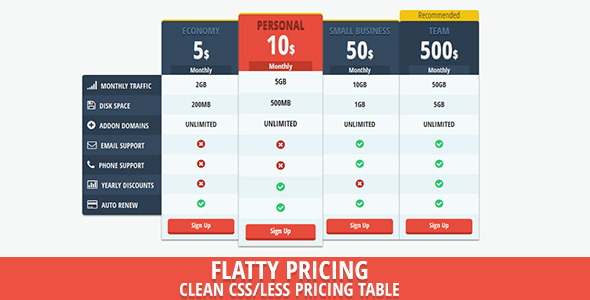
The strongest fit is a static or mostly static marketing site where a pricing section needs to exist and does not need to change often. A freelancer building a five-page site for a hosting reseller, a small agency producing a landing page for a service with three tiers, or a developer adding a plans section to an existing WordPress theme’s page template will all get value from the download. The vendor tags point squarely at hosting and reseller hosting, which is the classic use case: three or four columns, a feature checklist down the left, and a highlighted recommended plan.
It also suits projects where the surrounding stack is fragile. If a site is running an older theme, a page builder with aggressive CSS output, or a plugin set that already conflicts with each other, a dependency-free table is the lowest-risk way to add a pricing section. There is no script to debug and no library version to reconcile.
It is the wrong choice when pricing needs to be dynamic. CSS Pricing Tables 3 is a presentation layer, not a pricing engine. It cannot pull amounts from a database, switch currency based on visitor location, apply a discount code, or reflect a logged-in user’s existing subscription. A SaaS product with usage-based billing, a membership site with recurring upgrades, or any storefront where the displayed price must match a cart total will need something that reads from application state — a plugin tied to the commerce platform, or custom templating. Buying this for that purpose would be a mismatch.
It is also a poor fit for teams that want a visual editor. There is no drag-and-drop interface and no admin screen; changes happen in code. A marketer who needs to adjust a price without developer involvement will find that workflow frustrating.
Strengths and Limitations of CSS Pricing Tables 3
Strengths
- No JavaScript dependency, which removes an entire class of conflict with themes, page builders and plugin bundles.
- Eight styles in one package, giving genuine choice without a second purchase.
- Responsive behaviour is built into the stylesheet rather than bolted on.
- Short, readable CSS that can be edited directly, with no preprocessor or build step.
- Tooltips and hover states add polish that plain HTML tables lack.
- Documentation included, which is not guaranteed at this price point.
- At $3 the cost is trivial relative to the time saved on layout work.
Limitations
- CSS-only tooltips depend on hover, so they do not function on touch devices — a real problem given how much pricing research happens on phones.
- The vendor publishes no sales count, which means there is no independent signal of how the code behaves in the wild or how responsive support is.
- No dynamic pricing, currency switching, or integration with any commerce or membership system. Everything is hard-coded in the markup.
- No visual editing interface. Every change is a code edit.
- The listing does not specify browser support, accessibility conformance, or whether the markup uses semantic table elements or divs. Those details matter for anyone with WCAG obligations and would need to be verified after purchase.
- Eight styles is a fixed set. A project with an unusual design system will still need to restyle, at which point part of the value is gone.
How CSS Pricing Tables 3 Compares to the Wider Category
The alternatives fall into three rough groups. The first is a full pricing table plugin for WordPress or another CMS. Those typically offer an admin interface, shortcodes, dynamic pricing fields, and sometimes WooCommerce or membership integration. They cost considerably more and add a plugin to maintain, but they solve problems CSS Pricing Tables 3 does not attempt to solve. If prices change regularly or come from a database, the plugin is the correct category.
The second group is a page builder’s built-in pricing module. Elementor, Divi, WPBakery and similar tools all ship pricing widgets. Those are free with the builder, visually editable, and already integrated with the site’s design tokens. The trade-off is lock-in: the table exists only inside that builder, and moving away from it means rebuilding. CSS Pricing Tables 3 is portable in a way builder modules are not, because it is plain CSS and HTML that can be lifted into any stack.
The third group is a custom build. Writing a responsive pricing table from scratch is not difficult for an experienced front-end developer, but it takes an hour or two including cross-browser checks and mobile breakpoints. The $3 purchase is essentially a shortcut past that work, with the caveat that the resulting code is someone else’s and must be read before it is trusted.
On capability, CSS Pricing Tables 3 is the most limited option in that comparison — deliberately so. On fit, it wins for static sites, portable codebases, and situations where adding another script or plugin is the last thing a project needs.
Frequently Asked Questions
Does CSS Pricing Tables 3 require JavaScript or jQuery?
No. The package is built entirely in CSS, which is its central design decision. That means there is no script to enqueue, no jQuery dependency to satisfy, and no risk of a theme or plugin conflict breaking the tables. It also means interactive behaviour is limited to what CSS can do on its own, such as hover states.
Can CSS Pricing Tables 3 pull prices from a database or shopping cart?
No. Prices and feature text are written directly into the markup and changed by editing the HTML. There is no database connection, no shortcode, and no integration with WooCommerce, membership plugins or any billing system. Sites that need displayed prices to match a cart or subscription record require a different type of solution.
Is CSS Pricing Tables 3 compatible with page builders like Elementor or Divi?
It can be used alongside them, since it is only HTML and CSS. The usual approach is to paste the markup into an HTML or code block within the builder and load the stylesheet. The vendor does not state tested compatibility with specific builders, so results depend on how each builder handles raw markup and custom CSS.
How many pricing table designs are included?
Eight styles are included in the package, all sharing the same underlying structure. Switching between them is primarily a matter of changing which stylesheet or class is applied. Each style covers the same functional ground — responsive columns, hover effects and tooltips — with differences in visual treatment rather than features.
Verdict on CSS Pricing Tables 3
CSS Pricing Tables 3 is worth buying for developers and freelancers who need a static, portable pricing section on a site where adding another plugin or script is undesirable. The absence of JavaScript, the eight styles and the readable CSS make it a sensible $3 shortcut, and the responsive handling is the most practically useful part of the package. It should be avoided by anyone whose prices are dynamic, who needs a non-technical editor to update plans, or who has accessibility requirements the vendor has not documented. The lack of a published sales count means there is no community track record to fall back on, so the decision rests entirely on whether a dependency-free, hard-coded table matches the project. For the narrow case it targets, it does the job cleanly; for anything beyond that, a plugin or a custom build is the honest answer.