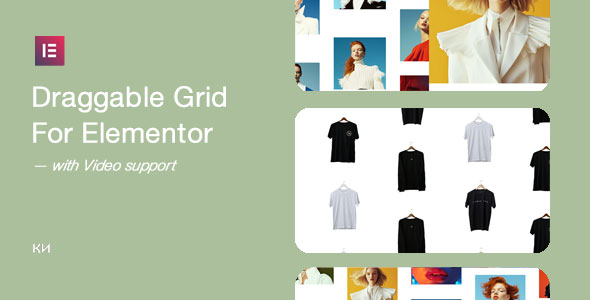
Draggable Grid for Elementor Ecommerce is a $26 ThemeForest add-on that adds a draggable, scroll-reactive media grid to Elementor-built sites, with a product variant that can display item details alongside imagery and video. It is aimed at shop owners, freelancers and agencies who want an interactive product or portfolio wall without hand-coding GSAP animation or a custom drag interaction. The plugin ships as an Elementor widget plus a stand-alone version, and it is sold by the author behind the Fullscale item line.
What the Draggable Grid for Elementor Ecommerce Actually Adds to a Page
The core idea is a canvas of tiles that responds to two kinds of input: direct dragging and page scroll. Visitors can grab the grid and push it around, and the whole arrangement also drifts or shifts as the page scrolls, which produces a parallax-style sense of depth. That combination is the reason a buyer would pick this over a static gallery widget, because it turns a product wall into something a visitor physically manipulates rather than merely scrolls past.
Two delivery formats: an Elementor widget and a stand-alone build
The item is packaged twice. One version is a native Elementor widget that drops into the builder and inherits the page’s styling context. The other is a stand-alone implementation for pages that are not built with Elementor, or for situations where the widget route is not wanted. In practice this matters for agencies maintaining mixed sites, since the same visual behaviour can be deployed on an Elementor landing page and on a legacy template without buying twice.
A product variant with detail display
Beyond the plain gallery, there is a product-oriented version that surfaces item details. For an ecommerce context this is the meaningful differentiator: a draggable wall of products that can reveal names, prices or short descriptions is closer to a browsable merchandising surface than a decorative image grid. The vendor does not state how deep the product integration goes, so it should be treated as a presentation layer rather than a replacement for WooCommerce’s own catalogue templates.
Video tiles inside the grid
Individual tiles can hold video rather than a still image. That suits lookbooks, motion-heavy brand pages and product demos where a short clip communicates more than a photo. The vendor does not specify which video sources or formats are accepted, so that is a question worth settling before purchase if self-hosted files rather than embeds are required.
Light and dark variants, and touch handling
Two colour treatments ship with the item, which reduces the styling work needed to match an existing brand palette. The grid is described as responsive and optimised for touch devices, which is essential here: a drag interaction that only works with a mouse would be a serious defect on mobile, where dragging competes with the browser’s own scroll gesture. Buyers should verify on real hardware that vertical page scrolling is not hijacked by the grid.
Localisation and the technical base
WPML support is listed, so the interface strings and any translatable content can be served in multiple languages — relevant for stores selling across regions. The animation layer is built on GSAP and the markup on HTML5/CSS3, which is a sensible, well-understood stack rather than a bespoke animation engine. Documentation and an installation guide are included.
Where This Draggable Product Grid Fits, and Where It Does Not
The strongest fit is a visually led storefront or campaign page where product discovery is part of the experience: a fashion or furniture brand’s lookbook, a design studio’s portfolio of work, a photographer selling prints, or a single-product launch page that needs a wall of lifestyle imagery around the buy button. Agencies will find it useful as a repeatable component for clients who keep asking for “something more interactive” than a standard gallery, because it removes the need to write and maintain custom animation code per project.
It also suits freelancers building Elementor sites on tight timelines. The widget route means the effect can be assembled in the builder rather than in a child theme, and the light/dark variants cut down on design decisions.
It is the wrong choice for a large, filter-heavy catalogue. A draggable grid is a browsing surface, not a search interface: it has no faceted filtering, sorting or pagination logic described, and a shopper hunting for a specific SKU in a 400-product store will be better served by a conventional archive with filters. It is also a poor fit for accessibility-critical projects where every element must be reachable and operable by keyboard and screen reader, since drag-based navigation is inherently difficult to make fully accessible and the vendor makes no accessibility claim.
Strengths and Limitations of This Elementor Ecommerce Grid Add-On
Strengths
- Combines drag interaction with scroll-driven motion, a pairing that is genuinely harder to build by hand than a simple hover gallery.
- Two packaging formats — Elementor widget and stand-alone — cover mixed-technology sites.
- A dedicated product variant with detail display makes it usable for merchandising, not just decoration.
- Video tiles extend it to motion-led brand content.
- Light and dark variants plus WPML support reduce styling and localisation work.
- GSAP and HTML5/CSS3 underneath means the animation approach is conventional and maintainable.
- At $26 it is priced as an impulse component rather than a platform decision.
Limitations
- Activation is mandatory before use, and the vendor states whitelisting of the purchase code can take up to 12 hours on weekdays and longer at weekends. That is a real friction point for an agency deploying on a client deadline.
- The item launched at version 1.0.0 in September 2025 with no subsequent releases listed, so there is no track record of bug fixes or compatibility updates with newer Elementor versions.
- No sales figures are disclosed, so there is no way to gauge adoption or the size of the user community from the listing.
- The vendor does not state which video sources are supported, how product data is pulled in, or what happens to the drag interaction when JavaScript is unavailable.
- Drag-based navigation raises keyboard and assistive-technology concerns that the listing does not address.
- Elementor is a hard dependency for the widget route; the stand-alone version exists but the listing gives no detail on how it is configured.
How It Compares With Other Interactive Gallery and Grid Options
The alternatives fall into three rough groups. The first is Elementor’s own built-in gallery and loop grid widgets, which are free, stable and updated in lockstep with the builder, but which offer no drag interaction and no scroll-linked motion. Buyers who only need a hover effect should stay there.
The second group is general-purpose animation and interaction plugins — the kind that bundle scroll triggers, parallax layers and cursor effects. These are broader and often cheaper per feature, but they typically require assembling the effect from primitives, and a draggable grid with momentum and touch handling is not a one-click preset in most of them.
The third group is bespoke development: a custom Elementor widget or a hand-built GSAP component. That gives total control and no activation dependency, but it costs developer hours that dwarf a $26 purchase and creates maintenance work on every Elementor major release. This item sits in the middle: more capable than the native widgets, less flexible than custom code, and priced accordingly. The trade-off is that the buyer inherits the vendor’s release cadence — and at version 1.0.0, that cadence is unproven.
Frequently Asked Questions
What is Draggable Grid for Elementor Ecommerce used for?
It is used to build interactive product and image walls inside Elementor. Visitors can drag the grid and the tiles also move in response to page scroll, creating a layered, animated browsing surface. A product variant can display item details, and individual tiles can hold video instead of still images.
Does Draggable Grid for Elementor require Elementor Pro?
The listing does not state a requirement for Elementor Pro. It describes an Elementor widget version alongside a stand-alone version, and the stand-alone build implies the effect can run without the widget. Buyers should confirm the exact Elementor version and tier required with the author before purchase.
How long does activation take after buying?
Activation can take up to 12 hours on weekdays. The vendor states that purchase-code whitelisting may take longer at weekends, after which an email arrives and an update appears under Dashboard > Updates. The item cannot be used until that registration step is complete, so it should not be bought hours before a launch.
Is the draggable grid usable on mobile phones?
Yes, the vendor describes it as responsive and optimised for touch devices. That matters because dragging and vertical scrolling compete for the same gesture on a phone. The listing makes no accessibility claim, so keyboard and screen-reader behaviour should be tested directly on the target site before committing.
Verdict: Who Should Buy This Draggable Grid for Elementor Ecommerce Add-On
Buy it if the project needs a visually distinctive product or portfolio wall and the site is already on Elementor — particularly for lookbooks, campaign pages and creative portfolios where browsing is part of the appeal. The combination of drag navigation, scroll-linked motion, video tiles and a product-detail variant is a lot of capability for $26, and the two packaging formats make it reusable across a client roster.
Skip it for large catalogues that depend on filtering and search, for accessibility-critical builds, or for any launch where a 12-hour activation wait is unacceptable. The version 1.0.0 release with no update history is the other reason for caution: this is a young item from an author with an established line of work, but the Draggable Grid for Elementor Ecommerce product itself has not yet been proven over time. Buyers who need certainty should wait for a point release or test it on a staging site first.