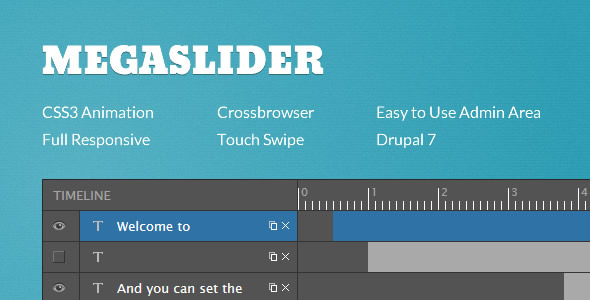
When you need a Drupal slider that doesn’t just look good but also provides deep customization and performance, the search often leads to MegaSlider. This responsive Drupal 7 and Drupal 8 module offers a unique combination of a drag-and-drop backend, a powerful timeline manager for object effects, and touch-swipe navigation. Instead of relying on rigid presets, MegaSlider gives you granular control over every slide element—text, image, or video—making it a top choice for developers and site owners who demand complete creative freedom. Its ability to integrate YouTube and Vimeo videos directly into slides, coupled with preloading for faster load times, makes it a reliable tool for modern, conversion-focused websites.
Key Features
- Touch Navigation: Built-in support for swipe gestures on both mobile and desktop devices ensures a fluid, app-like experience for all users.
- Timeline Manager: The core of MegaSlider’s power. You can set custom start time, stop time, and delay for each object. This allows for complex, sequenced animations without needing to write a single line of code.
- Drag and Drop Admin Panel: Adding, organizing, and editing slides is simple with an intuitive drag-and-drop interface. You can easily duplicate objects and entire slides to speed up workflow.
- Custom Object Effects: Apply move, fade, and advanced CSS3 animations (powered by libraries from Dan Eden and Magic CSS3) to individual text, images, or videos within a slide.
- Video Support: Easily embed YouTube and Vimeo videos directly into your slides, with options for autoplay and lightbox playback.
- Google Webfonts: Access thousands of fonts directly from the admin panel, ensuring your typography matches your brand without manual CSS edits.
- SEO Optimized: Built with search engines in mind, including settings for image alt attributes and clean code structure.
- Cross-Browser Compatibility: Tested extensively on IE8+, Firefox, Safari, Opera, and Chrome, ensuring a consistent look across your audience’s devices.
- Responsive Design: Every slider is fully responsive, automatically adjusting to look its best on any screen size, from large desktop monitors to small mobile phones.
Who Is This For? Use Cases
Drupal Developers and Agencies
If you build client sites using Drupal 7 or 8, MegaSlider is a reliable addition to your toolkit. The module’s robust backend, including import/export functionality and a style creation option, allows you to create reusable templates. You can quickly build complex hero sections, product showcases, or portfolio sliders for multiple clients, saving hours of development time. The detailed changelog and consistent updates (with versions for both Drupal 7 and 8) signal a mature product you can count on for production environments.
Marketing Professionals and Content Managers
You need a tool that lets you update your homepage or landing page slider without submitting a ticket to IT. MegaSlider’s user-friendly admin area empowers you to swap images, edit text, add links, and rearrange slides on the fly. The ability to add custom CSS classes and overlay backgrounds means you can experiment with different looks directly from the backend. The timeline manager lets you create attention-grabbing animations for special promotions or seasonal campaigns, directly influencing click-through rates and conversions.
E-commerce Store Owners
Product presentations need to be dynamic. With MegaSlider, you can create slides that feature a product image, a short description with a “Shop Now” button, and an embedded video review. The link redirect feature for each slide (added in version 7.x-2.25) makes it straightforward to send traffic directly to specific product or category pages. The responsive design guarantees that your price tags and CTAs are legible on any device, which is critical for mobile commerce.
Technical Details & Compatibility
MegaSlider is officially available for Drupal 7 and Drupal 8 (including support for Drupal 8.6.x). It leverages jQuery UI and standard Drupal APIs for integration. The module supports all major desktop browsers, including IE8+, Chrome, Firefox, Safari, and Opera. For mobile, the touch-swipe feature ensures native-feel navigation on iOS and Android devices. The backend runs on standard Drupal 7 and 8 admin themes, making setup straightforward. The module also includes a tool to export and import slider configurations, which is essential for migrating settings between development, staging, and production sites. The project has been actively maintained, with the most recent updates (as of the changelog) occurring in October 2018 for both the Drupal 7 and Drupal 8 branches.
Pros and Cons
Pros
- High Customization: The timeline manager and individual object effects offer an unusual level of control for a Drupal slider module.
- Mature and Stable: Extensive changelogs showing years of bug fixes and feature additions point to a product that has been battle-tested.
- Full Video Integration: Direct support for YouTube and Vimeo with platform-specific options (like autoplay and lightbox) is a significant time-saver.
- Strong SEO Foundation: Features like image alt text and clean markup help ensure your sliders contribute positively to your search engine ranking.
- Developer-Friendly Options: Features like import/export, custom CSS class settings, and the ability to disable slides make it flexible for complex builds.
Cons
- Learning Curve: The power of the timeline manager means it requires an initial time investment to master. It’s not a “one-click” slider solution.
- No Drupal 9/10 Native Version: As of the provided data, the latest versions are for Drupal 7 and 8. Users on newer Drupal versions may need to check for compatibility or a migration path.
- Dependency on jQuery UI: This can occasionally cause conflicts with other modules or themes that use different versions of jQuery or jQuery UI, though the changelog shows efforts to mitigate this.
Frequently Asked Questions
Is MegaSlider compatible with all Drupal themes?
Yes, MegaSlider is designed to be theme-agnostic. It generates its own CSS and HTML output, meaning it will function correctly with any standard Drupal 7 or Drupal 8 theme. You can further customize its appearance by using the built-in style settings or by adding custom CSS classes to individual slides and layers, ensuring seamless integration with your site’s existing design.
Does the module include customer support?
Yes. MegaSlider is developed by MegaDrupal, a reputable author on ThemeForest and CodeCanyon. The product description includes a direct link to a dedicated support forum on their website. This is the primary channel for getting help with installation issues, bugs, and feature inquiries. The detailed changelog and consistent update history suggest an active and responsive development team.
Can I use MegaSlider to create a full-width video background slider?
Absolutely. You can add YouTube or Vimeo videos to individual slides. While the module excels at embedding videos as elements within a slide, it also includes settings for background video—a feature added in version 7.x-2.24. By combining the full-width slider layout option with a background video and overlaid text or images, you can create a stunning, modern hero section for your homepage.
Final Verdict
MegaSlider stands out in the Drupal ecosystem because it refuses to compromise on customization. It bridges the gap between a simple, out-of-the-box slider and a complex custom JavaScript project. For Drupal developers and site owners who need to create unique, interactive, and SEO-friendly presentations, this module delivers exactly what is promised. The robust timeline manager, combined with support for external videos and Google Fonts, allows you to build professional-grade sliders without touching a line of code. While it requires a bit of time to master, the payoff in terms of user engagement and conversion potential is substantial.
If you are managing a Drupal 7 or 8 site and need a slider that offers more than just basic transitions, MegaSlider is a proven, feature-rich choice. It is backed by a reputable developer with a clear history of updates and support. Whether you are building a product showcase for an e-commerce store or a dynamic portfolio for a creative agency, this module provides the tools you need to make a powerful first impression. Stop struggling with limited presets and start building the exact slider you visualize. Click the link below to learn more about how MegaSlider can transform your Drupal site today.