Developers and data engineers who regularly need to transform XML data into a more accessible, spreadsheet-friendly format know the pain of writing custom parsers from scratch. The Xml2Csv Converter PHP class eliminates this tedious process, offering a streamlined, highly customizable solution for converting XML to CSV with minimal code. Designed for PHP developers ranging from beginners to seasoned backend specialists, this tool turns a complex data transformation task into a single function call. Whether you are migrating legacy data, generating reports, or feeding business intelligence systems, this class saves hours of development time while providing the granular control you need for edge cases.
Key Features
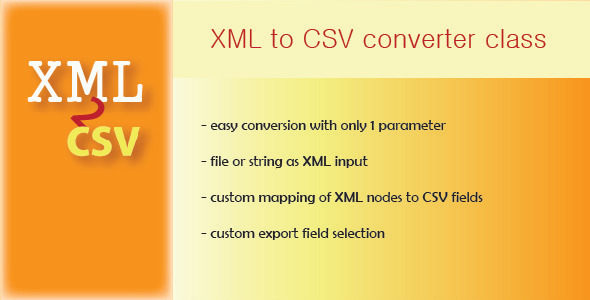
- One-Parameter Conversion: The entire conversion process can be triggered with a single parameter — the XML source. This makes the class extremely approachable for quick scripts while still allowing deep customization.
- Flexible Input Sources: Accepts XML from both file paths and raw strings. This dual support means you can process locally stored files or data fetched from an API without additional preprocessing.
- Multiple Output Options: Results can be returned as a string, saved directly to a file, or output to the screen. For advanced workflows, the class also supports returning the data as an array, allowing you to manipulate the CSV content programmatically before final output.
- Custom CSV Formatting: Set the delimiter and enclosure character to match your target application’s requirements. Whether you need tab-separated values or standard comma-delimited output with quotes, this class handles it.
- Node-to-Field Mapping: Map specific XML elements to designated CSV columns. This is critical when your XML structure is deeply nested or when you only need a subset of the data.
- Selective Field Export: Choose exactly which fields appear in the output. This feature prevents unnecessary data bloat and keeps your CSV clean and targeted.
- Chained Method Calls & Direct Access: Parameters can be configured via fluent, chainable methods for readable code, or accessed directly for quick prototyping. Bulk parameter setup is also supported for configuration-heavy scenarios.
- Item Interval Limiting: Process only a specific range of items from the XML source. This is invaluable for debugging, testing, or processing large files in chunks.
- XML Loading via cURL: Includes a fallback mechanism that uses cURL to load XML when the standard DOM load function fails. This compatibility fix ensures the class works reliably across different server configurations.
Who Is This For? Use Cases
PHP Developers Automating Data Pipelines
If you build or maintain ETL processes, you frequently encounter XML as an input format. This class allows you to integrate XML-to-CSV conversion directly into your PHP scripts without relying on external tools or command-line utilities. The array return type is particularly useful when you need to perform additional validation, sanitization, or enrichment on the data before writing the final CSV file. For example, a developer handling product feeds from multiple suppliers can normalize disparate XML formats into a unified CSV schema using the custom mapping feature.
System Administrators Handling Logs or Exports
Server logs, database exports, and configuration files often arrive as XML. A system administrator can use the Xml2Csv Converter to quickly transform these files into readable spreadsheets for analysis or archival. The ability to limit processed items means you can test the conversion on a few rows before running a full batch job, preventing the accidental generation of malformed exports. The cURL fallback is a lifesaver on hardened servers where DOM loading may be restricted.
Data Analysts Working with Legacy Data
Many older systems and third-party services still use XML for data exchange. Analysts who need to bring this data into tools like Excel, Google Sheets, or Tableau can use this PHP class as a bridge. By mapping complex XML hierarchies to flat CSV columns, the class makes it straightforward to analyze data that was previously locked inside nested XML structures. The custom delimiter feature ensures the output is compatible with your analytical tools of choice.
Freelancers & Agency Developers
Client projects often involve migrating content from one CMS to another, and XML is a common export format. This class lets you build reliable migration scripts that can be reused across different projects. The clear, documented API means you can hand off the code to clients with confidence, and the ease of configuration allows non-technical users to adjust output settings without modifying core logic.
Technical Details & Compatibility
The Xml2Csv Converter PHP class is built for modern PHP environments with a few standard extensions. It requires PHP 5.6 or higher, though PHP 7.x and 8.x are fully supported and recommended for better performance. The class relies on the DOMDocument extension for XML parsing, which is enabled by default in most PHP installations. For environments where DOM loading fails, the class falls back to cURL, requiring the cURL extension to be active. No additional third-party libraries or Composer dependencies are needed — simply include the class file in your project and start using it.
The class handles XML files of any size, though very large files should be processed with the interval-limiting feature to avoid memory exhaustion. Output CSV encoding follows the input XML encoding, and the class works across all operating systems where PHP runs. Since the update added bug fixes and the cURL fallback, the codebase is now more resilient and production-ready than earlier versions.
Pros and Cons
Pros
- Extremely simple to use for basic conversions, requiring only one parameter.
- Highly customizable for complex XML structures with custom field mapping and node selection.
- Multiple output formats (string, file, array) cover nearly every use case.
- Chained method calls make the code clean and readable.
- Interval limiting is a practical feature for debugging and chunked processing.
- No external dependencies — works with standard PHP extensions.
- Active bug fixes and the cURL fallback demonstrate ongoing maintenance and reliability.
Cons
- Does not include built-in support for XSLT transformations, which some advanced users may require.
- Documentation, while available online, is not extensive — advanced features require some experimentation.
- The class does not handle malformed XML gracefully; invalid input may cause exceptions without detailed error messages.
- No built-in CSV preview or validation before export, so users must test output manually.
Frequently Asked Questions
Can I use the Xml2Csv Converter with Laravel or WordPress?
Yes. The class is a standalone PHP library with no framework dependencies, so it integrates seamlessly into Laravel, Symfony, CodeIgniter, or any custom PHP application. In WordPress, you can include the class in a plugin or theme’s functions file and use it to process XML data from admin pages or cron jobs. The chained method syntax works well within modern PHP frameworks, and the array output type is especially useful when combined with Laravel’s collection methods or WordPress’s custom table insertion logic.
Does the class support namespaced XML?
Yes, the Xml2Csv Converter works with namespaced XML documents. When using the custom field mapping feature, you can specify the fully qualified element name, including the namespace prefix. The class parses the DOM and respects namespace definitions, so you can accurately select nodes from complex XML schemas like RSS, Atom, or industry-specific standards. For best results, ensure your XML declaration includes the namespace definitions at the top of the document.
Is this class suitable for converting very large XML files (over 100 MB)?
It depends on your server’s memory limit and PHP configuration. The class loads the entire XML document into memory for DOM parsing, so files exceeding 100 MB may cause memory exhaustion on shared hosting or low-memory VPS setups. However, the interval-limiting feature allows you to process the XML in manageable chunks by specifying from and to parameters. For extremely large files, consider splitting the XML into smaller fragments before conversion, or use the class in combination with a streaming XML parser for a hybrid approach.
Final Verdict
The Xml2Csv Converter PHP class delivers exactly what it promises: a simple, powerful tool that turns XML into CSV without forcing you to write repetitive parsing loops. Its balance of one-button simplicity for quick tasks and deep customization for complex projects makes it a valuable asset in any PHP developer’s toolkit. The addition of the array return type and the cURL fallback shows that the author is responsive to real-world feedback, addressing common pain points encountered in live environments.
For developers who regularly wrangle data between systems, the time saved on each conversion project quickly justifies the investment. The class is mature, bug-free in its current version, and ready for production use. Whether you are building a one-time migration script or integrating XML conversion into a commercial application, this class provides the reliability and flexibility you need.
Stop reinventing the XML-to-CSV wheel. Try the Xml2Csv Converter PHP class today — test it with the live demo, review the online documentation, and see how much cleaner your data transformations become. Your future self, and your project deadlines, will thank you.