Building an online store often feels like a monumental task, especially when you just want to sell a few products without the overhead of a complex content management system or a dedicated server environment. You might be looking for a lightweight, flexible solution that doesn’t require extensive coding knowledge or a database backend. Enter NekoCart, a fully customizable shopping cart built exclusively with jQuery and driven by a simple CSV file. This tool is designed for creators, small business owners, and developers who need a sleek, functional checkout process without the bloat of traditional e-commerce platforms. By leveraging a client-side approach, NekoCart offers a unique blend of simplicity and power, proving that you don’t need PHP or MySQL to create a professional sales funnel. Let’s dive deep into what makes this tool a purr-fect choice for your digital storefront.
Key Features
NekoCart is not just a simple add-to-cart button; it is a comprehensive front-end solution. It packs a surprising number of features into a lightweight package, ensuring you have everything you need to start selling immediately. Here are the standout functionalities that define this product:
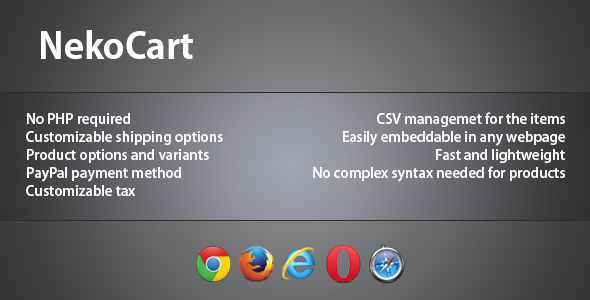
- CSV-Based Product Management: Say goodbye to clunky admin panels. Your entire inventory lives in a simple CSV file. You can edit product names, prices, descriptions, and even image URLs directly in a spreadsheet. This makes bulk updates effortless and eliminates the need for complex database queries or coding skills.
- Zero Backend Requirements: This is arguably the most significant advantage. There is no PHP and no database needed. This means you can host your store on any static web host, or even run it locally from your desktop. It reduces security risks and server load, resulting in faster page loads.
- Product Variants and Options: Your products aren’t always one-size-fits-all. NekoCart allows you to define variants for each product, such as size, color, or custom text fields. This ensures customers can customize their order precisely before adding it to the cart, leading to fewer support tickets and order errors.
- Multiple Shipping Options: You retain full control over shipping costs. You can configure multiple shipping methods based on weight, location, or order value. This flexibility lets you offer standard, express, or free shipping thresholds, improving the overall user experience.
- PayPal One-Click Checkout: The default payment gateway is PayPal, a trusted and widely recognized service. The streamlined process minimizes friction, allowing customers to complete purchases quickly and securely, which can significantly boost your conversion rates.
- Configurable Tax Settings: Tax calculations can be a headache, but NekoCart simplifies it. You can set specific tax rates based on your location or the customer’s location, ensuring compliance without manual calculations.
- Fully Customizable UI: Since it is jQuery-based, you have total command over the HTML and CSS. The look and feel of the cart can be tailored to match your brand identity perfectly, allowing it to blend seamlessly with your website’s design.
- Fast and Lightweight: Built with efficiency in mind, NekoCart does not create a heavy load on your browser. It ensures smooth performance even on older hardware, contributing to a better user experience.
Additionally, recent updates have included a configurable decimal separator, ensuring compatibility with European currency formats. The CSV importer now accepts both commas and periods, fixing common issues with Excel and LibreOffice localization.
Who Is This For? Use Cases
NekoCart occupies a unique space in the market. It fits perfectly between a simple “Buy Now” button and a full-scale e-commerce solution like WooCommerce or Shopify. Its architecture makes it ideal for specific scenarios and user profiles.
Graphic Designers and Digital Artists
If you sell downloadable assets like icons, stock photos, or lightweight software, you often need a distribution system. NekoCart allows you to manage a portfolio of digital items quickly. You can update the CSV file with new licensing options or prices without touching the front-end code. The absence of a database makes it easy to deploy a temporary storefront for a launch or event without committing to a server stack.
Freelance Web Developers
Clients often request a shopping cart but refuse to pay for expensive hosting that supports MySQL or monthly CMS subscriptions. For developers, NekoCart is a fantastic tool in the arsenal. You can deploy it on a basic hosting package or even a CDN, presenting your client with a professional-looking store that has zero recurring software costs. The ease of editing the CSV file allows you to train the client to manage their own inventory in minutes.
Small Merchandise Sellers
Have a limited inventory of physical goods, such as T-shirts or stickers? NekoCart’s feature set—specifically shipping options and tax settings—makes it viable for physical sales. You can set up flat-rate shipping or free shipping on orders over a specific amount. The PayPal integration ensures you are paid directly without third-party merchant account hassles, making it an excellent starting point for garage startups.
Rapid Prototyping and MVPs
When testing a business idea, speed is critical. Spending weeks integrating a server-side cart might be overkill. With NekoCart, you can create a working concept in an afternoon. You can measure user engagement and real purchase intent before investing in a more robust infrastructure. If the idea fails, you simply delete the files; if it succeeds, you have a proof-of-concept ready to hand off to a development team.
Technical Details & Compatibility
Understanding the technical constraints of NekoCart is crucial for successful implementation. This product is coded entirely in jQuery, meaning it handles all logic on the “client side” (in the user’s browser). As of the latest changelog (Version 1.1), the developer has focused on stability and internationalization.
Version & Updates: The current version is 1.1, which introduced a configurable decimal separator in the config file. This was a major update for European users who use commas instead of decimal points. Furthermore, the CSV editing function was improved to accept both commas and periods without converting them to dates, a common annoyance when using Excel or LibreOffice.
Browser Support: The code is robust and tested across a broad spectrum of environments. It supports IE8+ (though it’s recommended to use modern browsers), Chrome, Firefox, Opera, and Safari. This wide coverage ensures that almost any visitor can use the cart, regardless of their preferred browser.
Requirements: You only need a web host to serve the files (whether that is a server or a local folder). There is no need for any specific server-side processor setup. This “static structure” makes it inherently secure and resistant to SQL injection attacks that plague database-driven sites.
Pros and Cons
No product is perfect for every scenario. To help you make an informed decision, here is a balanced look at the advantages and potential drawbacks of choosing NekoCart.
Pros
- Ease of Installation: Upload the files and edit one CSV text file. The learning curve is almost non-existent for anyone who has used Excel.
- No PHP or Database Needed: This eliminates security vulnerabilities and reduces hosting costs significantly.
- Lightning Fast Performance: Without server requests for product data, the user experience is swift and responsive.
- Flexible Product Options: The ability to add variants via CSV is a powerful feature that is often reserved for much heavier plugins.
- Customizable Look and Feel: Full control over the CSS means it can integrate with any existing theme you have.
Cons
- Limited Payment Gateway: Currently, it is PayPal-only. Customers who prefer to pay via credit card directly on-site (without PayPal) may be deterred.
- Inventory Management: Real-time stock syncing is not automatic. You have to manually update the CSV file when items sell out, which is not ideal for high-volume sales.
- Security Limitations: Pricing and structure are visible in the front-end code. While viewing the price is normal, malicious users could potentially alter the data in their local browser if you are not careful (though this affects any static client-side cart).
- Dependency on Spreadsheet Accuracy: If the CSV file is malformed, breaks, or contains invalid characters, the cart may fail to load correctly.
Frequently Asked Questions
Potential buyers often have specific queries regarding the functionality and limitations of front-end carts. Here we address the most common questions to assist with your purchasing decision.
Is NekoCart compatible with WooCommerce?
No, NekoCart is not a plugin for WordPress and does not directly integrate with WooCommerce. It operates as a standalone HTML/jQuery application. While you can embed it in an iframe, it does not share login sessions or inventory with WordPress plugins. It is designed to replace the need for such heavy plugins, not to accompany them.
Does NekoCart include email invoicing or a database of past orders?
No, NekoCart does not store order history on a server. Once the customer is redirected to PayPal to complete payment, the transaction is handled purely by PayPal. NekoCart itself does not keep a log of what was purchased for your admin review. You will need to rely on your PayPal account insights to track sales and fulfillment.
Can I offer discounts or coupon codes with NekoCart?
The features listed do not currently include a built-in coupon or discount code system. Since the product is managed by a CSV file, you might need to manipulate prices manually to reflect sales. The developer has mentioned that more features will come in the future, but as of v1.1, dynamic discounting at the cart level is not a supported feature.
Final Verdict
In a marketplace dominated by monolithic e-commerce platforms, NekoCart stands out for its simplicity and elegance. It is a breath of fresh air for developers and small business owners who are tired of wrestling with server configurations and database connections. The primary strength lies in its dedication to a “no-backend” philosophy. It is not trying to compete with Shopify on enterprise features; instead, it excels as a tool for selling a specific set of products with minimal fuss.
The author has created a solid foundation and has already listened to the community by fixing CSV import issues in Version 1.1. The browser compatibility is extensive, and the code cleanliness is apparent from its lightweight performance. If you are confident that PayPal is a suitable payment method for your target audience, this cart provides exceptional value. Remember, you can always embed this within a larger project, mixing static HTML elegance with your e-commerce needs.
Take the leap and streamline your development process. Stop paying for server resources and database licenses you don’t need. Purchase NekoCart today, upload it to your host, and declare independence from the complexity of back-end coding. Your customers are ready to buy—make sure your store is ready to sell with the speed and agility that NekoCart offers. Meow!