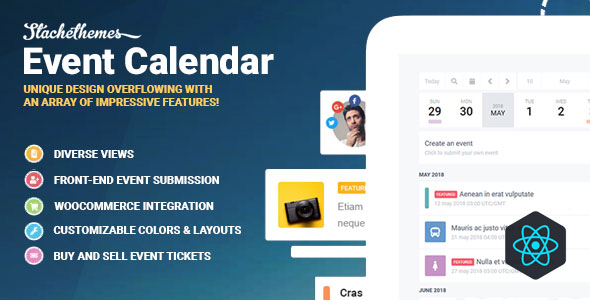
Managing events on a WordPress site often means juggling multiple plugins, clunky shortcodes, and a disjointed user experience. The Stachethemes Event Calendar – WordPress Events Calendar Plugin offers a different path. This isn’t just another date grid; it’s a comprehensive event management system built with modern technology like React.js, designed to handle everything from simple RSVPs to complex WooCommerce ticket sales. For website owners, developers, and community managers who need a robust, front-end friendly solution, this plugin provides the tools to create, display, and monetize events without forcing visitors to leave your site. Whether you are organizing a local workshop or a multi-day conference, this plugin aims to streamline the entire lifecycle of your events.
Key Features
The Stachethemes Event Calendar is packed with functionality, but it’s the integration and depth of these features that set it apart. Here’s a breakdown of what you can expect:
- React.js Powered Interface: The user interface is built with React.js, ensuring a fast, responsive, and modern experience for both admins and visitors. This technology foundation means smoother interactions and quicker load times compared to older jQuery-based calendars.
- WooCommerce Integration: Sell tickets and products directly from your calendar events. The plugin supports simple and variable tickets, quantity limits per occurrence, coupons, and all standard WooCommerce payment gateways like PayPal, Stripe, and bank transfers.
- Front-End Event Submission: Allow users to submit events directly from the front-end. This is perfect for community-driven sites or businesses that need to collect event details without giving users access to the WordPress dashboard.
- Diverse Display Views: Choose from multiple layouts including Month, Week, Day, Agenda, Grid, Box Grid, and Map views. You can also display events in a modal or on a dedicated single event page.
- Powerful Repeating Events: Create complex recurrence rules with ease. Set daily, weekly, monthly, or yearly events, add exclusions, or use the manual mode to input an RRULE string directly for full control.
- Built-in Layout Builder: A drag-and-drop builder allows you to customize the layout of your event pages and forms without touching code. This gives you the power to tailor the display to match your brand.
- Advanced Booking & Attendance: Manage attendees with RSVP forms, waiting lists, and attendance limits. You can require login or phone numbers, and send automated email notifications to both admins and attendees.
- QR Code Ticket Scanner: Validate tickets at the door using the built-in QR code scanner, streamlining your check-in process and preventing fraud.
- iCalendar & CSV Support: Import and export events via iCalendar (.ics) and CSV files. You can also sync events directly from an external URL, making it easy to migrate from other platforms.
Who Is This For? Use Cases
The versatility of this plugin makes it suitable for a wide range of users. Its combination of front-end submission, ticketing, and social integration opens up numerous possibilities.
Event Organizers and Promoters
If you are a professional organizer who handles conferences, workshops, or concerts, this plugin is a serious contender. The ability to create detailed event pages with schedules, organizers, guests, and maps is crucial for providing attendees with all necessary information. The WooCommerce integration means you can handle ticket sales directly, while the QR code scanner simplifies on-site check-in. The proximity filter and weather forecast features add a layer of polish that enhances the attendee experience.
Community and Membership Sites
Sites built on BuddyPress will find the native integration extremely valuable. You can display events within group and member pages, allowing community members to see what’s happening in their specific circles. The front-end submission feature encourages user participation, letting members post their own meetups or events. The RSVP and attendance lists help foster a sense of community and gauge interest in specific gatherings.
Businesses and Educational Institutions
Businesses can use the calendar to schedule webinars, product launches, or in-store events, while educational institutions can manage classes, exams, and campus activities. The ability to filter events by category, location, and organizer makes it easy for students or clients to find what they need. The built-in media slider and file attachments are perfect for sharing course materials or event brochures.
Developers and Agencies
For developers, the plugin is a solid foundation. It offers a REST API for deeper customization and uses WordPress filters to allow for option overrides. The on-demand loading of code (layouts, forms, dashboard menus) ensures that it won’t bloat your site’s performance. This makes it a reliable choice for building custom event management solutions for clients.
Technical Details & Compatibility
Keeping your site secure and up-to-date is non-negotiable. The developer, Stachethemes, has a strong track record of maintaining the plugin to work with the latest WordPress core. The plugin is confirmed to be WordPress 7.0 Ready, WooCommerce 10 Ready, and BuddyPress 14 Ready. This forward-compatibility is a strong signal that the plugin is actively maintained and tested against future releases.
It also boasts GDPR Ready compliance, which is essential for sites operating in or serving customers from the EU. The plugin integrates with Google Maps, OpenStreetMap, OpenWeather, and Font Awesome, giving you flexibility in how you display locations, forecasts, and icons. For multilingual sites, it offers full i18n and translation support, and it is multisite-ready for WordPress networks.
Pros and Cons
To give you a balanced view, here are the strengths and potential drawbacks of using this plugin.
Pros
- Comprehensive Feature Set: It covers nearly every aspect of event management, from display and recurrence to ticketing and attendance.
- Strong Third-Party Integrations: Native support for WooCommerce and BuddyPress is a major plus, eliminating the need for separate bridge plugins.
- Excellent Front-End Experience: The React.js foundation and front-end submission features create a smooth experience for your visitors, not just your admins.
- Active Development: The changelog shows frequent updates with bug fixes and new features, indicating a healthy, supported plugin.
- Proven Track Record: With over 6,800 sales and inclusion in numerous “Best Event Calendar” lists since 2016, it has a substantial user base and community trust.
- Good Value: At $79.00, it offers a robust alternative to subscription-based calendar plugins, providing a lifetime license for a one-time fee.
Cons
- Learning Curve: The sheer number of options and settings can be overwhelming for beginners. It may take some time to explore the dashboard and layout builder to unlock its full potential.
- Requires WooCommerce for Ticketing: While the integration is excellent, you must install and configure WooCommerce to sell tickets, which adds another plugin to your stack.
- Visual Customization Limits: While the layout builder is powerful, users looking for a completely bespoke design might still need to use the custom CSS option to achieve a perfect match with their theme.
Frequently Asked Questions
Is Stachethemes Event Calendar compatible with the latest version of WordPress?
Yes. The developer, Stachethemes, actively maintains the plugin and confirms it is ready for WordPress 7.0. They also ensure compatibility with the latest versions of WooCommerce (10) and BuddyPress (14). The regular changelog updates demonstrate a commitment to keeping the plugin stable and secure.
Can I sell tickets to my events with this plugin?
Absolutely. The plugin has deep integration with WooCommerce, allowing you to sell both simple and variable tickets. You can manage inventory, offer coupons, and accept payments through any gateway supported by WooCommerce. Additionally, the built-in QR code scanner lets you validate tickets efficiently at your event.
Does the plugin allow users to submit events from the front end of my website?
Yes, the Stachethemes Event Calendar includes a powerful front-end event submission form. You can place this form on any page using a Gutenberg block or shortcode. This feature is ideal for community sites or any scenario where you want to collect event information without giving users access to your WordPress admin area.
Final Verdict
The Stachethemes Event Calendar – WordPress Events Calendar Plugin stands out as a mature, feature-rich solution in a crowded market. Its long history, evidenced by over 6,895 sales and consistent praise in industry roundups since 2016, speaks to its reliability and staying power. The developer’s commitment to modern technology (React.js) and forward compatibility with WordPress, WooCommerce, and BuddyPress makes it a future-proof investment for your website.
While it may have a slight learning curve due to its extensive options, the power and flexibility it offers are unmatched at this price point. From selling tickets via WooCommerce to managing complex recurring schedules and allowing front-end submissions, it handles the heavy lifting so you can focus on your attendees. If you are serious about improving your event management workflow and providing a premium experience for your users, this plugin is worth every penny of its $79 price tag. Give your website the calendar it deserves and streamline your event management today.