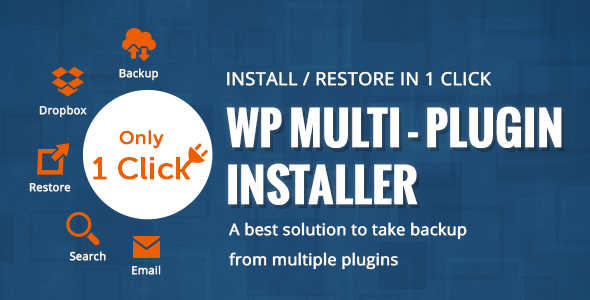
Managing a WordPress site often involves the tedious, repetitive task of installing and activating plugins one by one. For developers, agencies, and site owners who frequently set up new environments or restore sites, this process eats into valuable time. The Multi Plugin Installer WordPress Plugin eliminates this bottleneck by allowing you to install and activate multiple plugins in a single action. This utility plugin is designed to streamline your workflow, whether you are cloning a production site to a staging server, rebuilding a client site after a migration, or simply standardizing the plugin stack across multiple installations. Instead of navigating the WordPress repository for each individual plugin, you can batch-process your entire plugin list, saving hours of manual labor and reducing the risk of human error.
Key Features
- Bulk Install & Activate: The core functionality allows you to select and install numerous plugins from the WordPress repository simultaneously. After installation, you can activate all of them with a single click, turning a multi-step process into a two-click operation.
- Plugin Backup & Restore: The plugin provides robust backup capabilities. You can create a snapshot of your currently installed plugins, whether they are active or inactive. This backup file can be restored later, instantly returning your site to a specific plugin state, which is invaluable for testing or rollback scenarios.
- Dropbox Integration: For enhanced security and off-site storage, the plugin integrates with Dropbox. You can configure your backups to be automatically uploaded to your Dropbox account, ensuring that your plugin configuration is never lost due to server failures or accidental deletions.
- Separate Backup Modes: You have granular control over what gets backed up. The plugin supports dedicated backups for only active plugins and only inactive plugins. This flexibility allows you to create targeted snapshots for different environments, such as a minimal production setup versus a fully-loaded development environment.
- Clean & Maintained Code: The plugin adheres to modern WordPress coding standards. It uses unique function prefixes to prevent conflicts with other plugins and themes, employs
on()for event handling instead of deprecated methods, and separates CSS into its own file for better performance and maintainability.
Who Is This For? Use Cases
Freelance WordPress Developers & Agencies
When you manage multiple client sites, setting up a new project often requires the same core set of plugins: an SEO tool, a caching plugin, a contact form builder, and a security solution. Instead of manually searching for and installing each one, you can create a master backup of your standard plugin stack. On any new client site, you simply restore that backup, and all the essential plugins are installed and activated in seconds. This standardization saves hours per project and ensures consistency across all your client work.
Site Migrators & Server Administrators
Migrating a site from a staging environment to a live server, or moving a site to a new host, is a high-stakes operation. One of the most common issues is forgetting to install a specific plugin after the move. The Multi Plugin Installer WordPress Plugin eliminates this risk. Before migration, take a backup of all plugins on the staging site. After the migration is complete, simply restore that backup on the live site. Every plugin—including the ones that were deactivated for staging purposes—will be reinstated exactly as they were, ensuring the site functions perfectly from the moment it goes live.
Site Owners Managing Multiple Installations
For those running a network of sites, such as a membership platform or a multi-author blog network, plugin management can be a logistical nightmare. You might want to push a standard set of performance and security plugins to every site in your network. With the backup and restore functionality, you install the desired plugins on one master site, create a backup, and then restore that backup on every other site. This ensures a uniform plugin environment across your entire network, simplifying updates and troubleshooting.
Developers Testing Plugin Compatibility
If you are a developer building themes or custom plugins, you need to test compatibility with a wide range of third-party plugins. Setting up a test environment with 10, 20, or 30 different plugins manually is a massive time sink. The Multi Plugin Installer WordPress Plugin allows you to create a backup of a known-good test environment. When you need to reproduce a bug or test a new feature, you can restore this backup instantly, rather than spending 30 minutes re-installing each plugin individually.
Technical Details & Compatibility
The Multi Plugin Installer WordPress Plugin is built for modern WordPress environments. It has been tested for compatibility up to WordPress version 5.6, ensuring it functions correctly on the vast majority of current WordPress installations. The plugin is engineered with a focus on performance and security. The codebase has been refactored to use a unique prefix for all functions, classes, hooks, and database entries, effectively eliminating the risk of naming collisions with other plugins or themes. Inline CSS has been removed and consolidated into a dedicated CSS file to improve page load times and reduce style conflicts. JavaScript files have been updated to use use strict mode and modern event handling with on(), replacing deprecated methods like .click() and .bind(). The plugin also properly escapes output using functions like esc_attr__() to prevent cross-site scripting vulnerabilities. It is a lightweight utility that does not add significant overhead to your admin dashboard.
Pros and Cons
Pros
- Significant Time Savings: Reduces what could be a 10-15 minute manual process into a few seconds.
- Bulk Backup & Restore: Offers a unique value by allowing you to save and restore entire plugin sets, including activation status.
- Dropbox Integration: Provides off-site, cloud-based storage for your critical plugin configuration backups.
- Developer-Friendly Code: The plugin follows best practices with unique prefixed functions and modern JavaScript, reducing compatibility nightmares.
- Simple, Focused Interface: The plugin does one thing extremely well. There is no bloat or confusing settings pages.
- Active and Inactive Backup Support: Offers granular control over which plugin states are backed up, giving you flexibility for different workflows.
Cons
- No Premium Plugin Support: This plugin handles installations from the official WordPress repository. It does not support the bulk installation of commercial or custom plugins that are not hosted on WordPress.org.
- Limited to Installation: The tool focuses on bulk installation and activation. It does not offer features like bulk deactivation, bulk deletion, or bulk updates, which are available in more comprehensive plugin management suites.
- Requires Initial Setup for Backups: To fully leverage the backup/restore feature, you must first create a backup. This requires a one-time manual effort to set up your standard plugin stack before you can benefit from bulk restoration.
Frequently Asked Questions
Does the Multi Plugin Installer work with WordPress multisite networks?
Yes, the plugin is designed to function on individual sites within a WordPress Multisite network. You can use it to bulk install and activate plugins on a specific sub-site. However, network-wide plugin activation is handled by the WordPress Super Admin menu, so this plugin is best used for managing plugins on a per-site basis within a network.
Can I use this plugin to install plugins from a custom ZIP file rather than the WordPress repository?
The primary functionality of the Multi Plugin Installer WordPress Plugin is designed to install plugins directly from the WordPress.org plugin repository. It does not provide a built-in interface for uploading multiple custom ZIP files for installation. For bulk installation of non-repository plugins, you would typically need a dedicated bulk uploader or a deployment tool.
Is the plugin compatible with the latest version of WordPress and popular page builders like Elementor or WPBakery?
Yes, the plugin has been updated for WordPress 5.6 compatibility and follows stringent coding standards to avoid conflicts. Since it does not modify front-end output and only operates within the WordPress admin panel to install other plugins, it is fully compatible with popular page builders, caching plugins, and any other type of WordPress plugin. Its clean, prefixed codebase helps ensure it will not cause conflicts with other tools in your stack.
Final Verdict
The Multi Plugin Installer WordPress Plugin is not a flashy tool, but it is an incredibly practical one for anyone who regularly works with WordPress. It solves a specific, painful problem: the tedium of manually installing plugins one by one. For developers, agencies, and power users who set up or restore sites frequently, the time savings are substantial. The addition of Dropbox integration for backups and the careful attention to clean, conflict-free code show that the developer, wpfruits, has built this tool with a professional audience in mind. While it won’t help you install premium plugins from ThemeForest or CodeCanyon, it excels at what it does—managing your free repository plugins with unprecedented speed and efficiency. If you value your time and want to eliminate a repetitive administrative task from your workflow, this plugin is a worthy investment. Stop clicking and waiting for each plugin to install. Buy the Multi Plugin Installer WordPress Plugin today and reclaim hours of your work week for more important tasks.