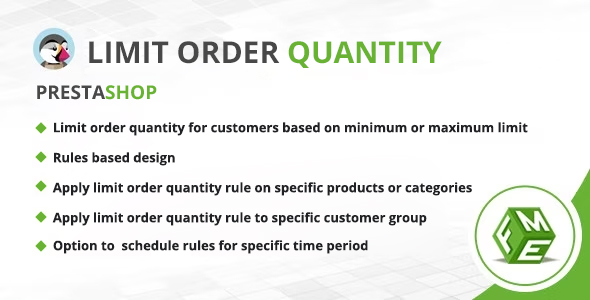
The Prestashop Limit Order Quantity Module is a commercial addon that lets a PrestaShop store enforce minimum and maximum purchase quantities on products, categories, or entire customer groups. It is aimed at merchants who need to control how much of an item any single shopper can add to the cart, whether to protect stock, enforce wholesale pack sizes, or block bulk buying during a promotion. Among the range of Prestashop Limit Order Quantity Module Plugins on the market, this one from FmeModules stands out for its rule-based configuration and scheduled activation windows.
Priced at $79 on ThemeForest, the module is a focused utility rather than a broad merchandising suite. It does one job — constraining cart quantities — and does it through a rules engine that store administrators configure from the back office. The vendor, FmeModules.com, describes itself as an official PrestaShop partner with more than 100 modules developed, which is the main credibility signal available since the listing does not disclose sales figures or a rating.
What the Prestashop Limit Order Quantity Module Plugins Actually Control
The core mechanic is straightforward: an administrator defines a rule, and the rule dictates how many units of a given product a shopper may hold in the cart. What separates this module from a simple per-product quantity field is the number of dimensions a rule can combine.
Minimum and maximum quantity enforcement
A maximum rule caps how many units can be added. Once the cart reaches the ceiling, the shopper cannot push the quantity higher, which is useful for scarce stock, launch-day allocations, or preventing a single reseller from clearing a shelf. A minimum rule works in the opposite direction: the order cannot proceed until at least the specified number of units is in the cart. That second behaviour is what makes the module relevant to wholesale and bulk-pack selling, where a store wants to sell in cases of six or twelve rather than single units.
Rules scoped by product, category, or customer group
Limits are not global by default. An administrator can attach a rule to one specific product, to an entire category, or to a named customer group, and the vendor states these criteria can be combined. In practice this means a store can allow its registered wholesale group to buy in larger volumes while capping retail guests at a lower number, or apply a category-wide ceiling to a clearance section without touching the rest of the catalogue. Because rules are additive rather than a single global setting, the module scales to catalogues where different product lines need different treatment.
Custom error messages
When a shopper tries to enter a quantity outside the permitted range, the module displays a message explaining the restriction. The text is customisable, so the store can write something more useful than a generic failure notice — for example, stating the minimum order multiple or the reason a cap exists. This matters more than it sounds: an unexplained rejection at the cart stage is a common source of abandoned baskets, and a clear message recovers some of those sessions.
Scheduled rules
Each rule can carry a start and end date. That allows time-limited constraints — a purchase cap during a flash sale, a minimum quantity during a pre-order window — to switch themselves on and off without manual intervention. For stores that run recurring promotions, this removes a routine administrative task and the risk of forgetting to lift a restriction afterwards.
Where This Module Fits and Where It Does Not
The clearest fit is a B2B or hybrid store running PrestaShop where the same catalogue serves retail and trade customers. Minimum quantities per pack size, combined with group-scoped rules, address a genuine operational need that PrestaShop does not handle natively. Wholesale grocers, industrial suppliers, and print or packaging shops selling in fixed multiples are the obvious candidates.
A second fit is any store protecting limited inventory: collectibles, limited-edition releases, event tickets with per-person caps, or high-demand electronics. A maximum rule scoped to the guest group, paired with a scheduled window, covers that scenario without custom development.
A third is promotional compliance. Where a supplier agreement or local regulation restricts how many units one household may buy, the module provides an enforceable, documented cap with a customer-facing explanation.
It is the wrong choice for a store that only needs to prevent a shopper from typing an absurd number into the quantity field. PrestaShop already respects stock levels and product-level quantity settings, and paying $79 for a single blunt ceiling is hard to justify. Stores selling one-off or made-to-order items with no volume dimension will also find little to configure. And any merchant who needs tiered pricing, quantity-based discounts, or dynamic pack pricing should look at pricing modules instead — this one constrains quantities but does not adjust what they cost.
Strengths and Limitations of the Prestashop Limit Order Quantity Module
Strengths
- Rule-based architecture. Multiple independent rules can coexist, each scoped to different products, categories, or groups, rather than one global setting applied to the whole catalogue.
- Group-aware limits. Retail and wholesale audiences can be treated differently from a single installation, which is the module’s most commercially useful capability.
- Scheduled activation. Date-bounded rules suit seasonal promotions and pre-order windows without ongoing admin attention.
- Customisable restriction messages. Shoppers receive an explanation rather than a silent failure, which supports conversion at the cart stage.
- Established developer. FmeModules.com is described as an official PrestaShop partner with a large module portfolio, which reduces the risk associated with an unfamiliar vendor.
- Stated lifetime support and upgrades. The vendor lists free lifetime support and updates with the purchase, which affects the total cost of ownership over several PrestaShop major versions.
Limitations
- No disclosed sales or rating data. The listing provides no sales count or review score, so there is no independent evidence of how the module behaves across varied store configurations.
- No stated PrestaShop version compatibility. The vendor does not specify which PrestaShop versions the module supports, and that detail matters given how much the cart and order pipeline changed between 1.6 and 1.7 and into 8.x. Buyers should confirm compatibility before purchase.
- Quantity only, no pricing logic. The module does not appear to offer tiered or volume pricing, so stores wanting “buy twelve, pay for ten” behaviour need a separate solution.
- Rule conflicts are undocumented. The listing does not explain how overlapping rules resolve — for example, a product-level cap inside a category-level cap inside a group rule. That behaviour needs testing on a staging store.
- Single-purpose scope at a mid-tier price. At $79 the module costs roughly what a broader cart or checkout addon does, which is a lot for one constraint type.
How It Compares With Other Quantity-Control Approaches
The alternatives fall into three groups. The first is native PrestaShop configuration: product-level minimum quantity settings and stock management. That costs nothing and covers simple cases, but it cannot differentiate by customer group, cannot schedule itself, and cannot apply a rule across a whole category in one action. The module’s advantage is precisely in those gaps.
The second group is general-purpose cart and checkout rule plugins. These often bundle quantity limits alongside free-shipping thresholds, cart-value rules, and payment-method restrictions. They offer more surface area for the money, but the quantity logic is frequently shallower — a single global cap rather than scoped, combinable, scheduled rules. A store that needs only a blunt ceiling may be better served by a broader plugin it already owns.
The third group is custom development. A developer can implement any quantity logic a store requires, including tiered pricing and bespoke conflict resolution, but the cost and maintenance burden dwarf a $79 module for a problem this well-defined. The realistic comparison is therefore between this module and a broader rules plugin, and the decision turns on whether group-scoped, schedulable, category-wide quantity rules are the actual requirement. If they are, the focused approach is the more predictable one.
Frequently Asked Questions
What does the Prestashop Limit Order Quantity Module do?
It sets minimum and maximum purchase quantities on products, categories, or customer groups in a PrestaShop store. Administrators create rules that cap or require a given number of units in the cart, and shoppers who exceed a limit see a customisable message. Rules can also be scheduled with start and end dates.
Can it apply different limits to wholesale and retail customers?
Yes. Rules can be scoped to specific customer groups, so a registered wholesale group can be permitted larger order volumes while guest or retail shoppers are capped at a lower figure. The vendor states that group, product, and category criteria can be combined within the rule configuration.
Does the module support scheduled or time-limited quantity limits?
Yes. Each rule can carry a start and end date, so restrictions activate and expire automatically. That suits promotional caps, pre-order minimums, and seasonal constraints without an administrator manually enabling or disabling the rule. The vendor does not state whether rules can overlap in ways that require conflict resolution.
Which PrestaShop versions does this module support?
The vendor listing does not state supported PrestaShop versions. Because cart and order handling differs substantially between PrestaShop 1.6, 1.7, and 8.x, buyers should confirm compatibility with their exact version before purchasing. Checking the vendor’s own product page or asking support directly is the reliable route.
Verdict: Who Should Buy the Prestashop Limit Order Quantity Module
This module earns its place in stores where quantity control is a real commercial requirement rather than a nice-to-have. B2B and hybrid merchants selling in pack multiples, retailers protecting limited stock, and stores enforcing promotional or regulatory purchase caps will find the group-scoped, schedulable rule engine does exactly what they need without custom code. The developer’s track record as a PrestaShop partner adds reasonable confidence.
Stores that only need a simple per-product ceiling, or that want quantity rules bundled with pricing and discount logic, should look elsewhere — either at native settings or at a broader cart-rules plugin. The absence of published compatibility details and sales data means a staging-store trial is advisable before committing. For the specific job of governing how much any customer can buy, this remains one of the more configurable options among Prestashop Limit Order Quantity Module Plugins.