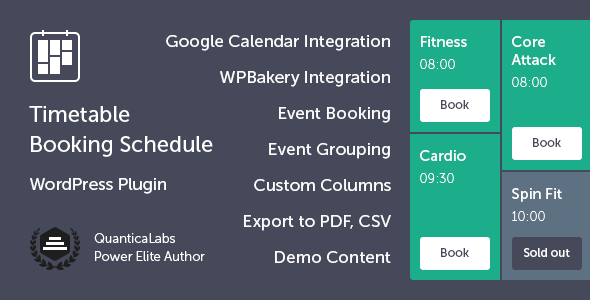
Managing a busy schedule of classes, events, or appointments can quickly become overwhelming without the right tool. For business owners and organizations that rely on precise time management, a static list or a simple calendar often falls short. The Timetable Booking Schedule for WordPress plugin by QuanticaLabs provides a comprehensive solution, transforming a standard WordPress site into a powerful, interactive scheduling hub. This plugin is designed for anyone who needs to display complex schedules and accept online reservations, all from a single, intuitive interface. With over 10,800 sales and a proven track record, it stands as a trusted choice for creating professional, dynamic timetables that drive user engagement and streamline operations.
Key Features
- Built-in Booking System: Users can reserve spots directly from the timetable. You can set maximum seat limits, control bookings per user, and manage availability without needing a separate plugin.
- Responsive & Mobile-Friendly Design: Every element of the timetable adapts seamlessly to desktops, tablets, and smartphones, ensuring a flawless experience for users on any device.
- Google Calendar Integration: Sync your schedules by importing and exporting events with Google Calendar. This keeps your bookings and event hours synchronized across platforms.
- PDF & CSV Export: Generate professional PDF versions of your timetable with one click for easy printing or sharing. You can also export reservation data to a CSV file for offline management.
- Customizable Email Notifications: Create custom email templates for both admins and users. Configure SMTP settings and automatically send confirmations, reminders, and cancellation alerts.
- Flexible Timetable Generator: Use the built-in shortcode generator to create timetables with custom columns, time formats, event layouts, and filtering options. Choose between dropdown or tab-based filters for easy navigation.
- Event Manager & Occurrences: Manage events through a dedicated custom post type. Use the event occurrences shortcode to display every scheduled instance of a specific event.
- Upcoming Events Widget: Display today’s events or a scrollable list of upcoming events in your sidebar or widget area, keeping visitors informed at a glance.
- WPBakery Page Builder & Elementor Compatibility: Integrates seamlessly with WPBakery Page Builder and is fully compatible with Elementor, allowing you to build layouts visually. It also works perfectly without either builder installed.
- One-Click Demo Import: Quickly import demo tables, widgets, and plugin settings to recreate the demo content on your site and get started faster.
Who Is This For? Use Cases
The Timetable Booking Schedule for WordPress is built for a wide range of businesses and organizations that need to display schedules and manage reservations. Its flexibility makes it suitable for both simple and complex scheduling needs.
Fitness & Wellness Centers
Gyms, yoga studios, and fitness clubs can display class schedules with instructor names, room assignments, and available spots. Members can book their spot directly from the timetable, reducing administrative work and no-shows.
Educational Institutions
Schools, universities, and training centers can publish course timetables, workshop schedules, and recurring class events. The ability to group events by time intervals and filter by category helps students and staff find relevant information quickly.
Medical Clinics & Salons
Medical offices, beauty salons, and spas can use the booking functionality to manage appointments. The guest booking support allows clients to reserve without creating an account, while the customizable popups can collect necessary information.
Event & Conference Organizers
Conference planners can display multi-track schedules, keynote sessions, and breakout workshops. The PDF export feature is invaluable for attendees who want to download and carry the full schedule with them.
Community & Recreation Centers
Swimming pools, dance studios, and community centers can manage multiple recurring activities and one-time events. The responsive design ensures that mobile users can check schedules and book on the go.
Technical Details & Compatibility
This plugin is built for WordPress and is compatible with modern versions of the platform. It was last updated on April 14, 2026 (version 7.7), indicating active development and ongoing support from the developer, QuanticaLabs. The plugin outputs valid HTML5 code and is cross-browser compatible, ensuring consistent performance across Chrome, Firefox, Safari, and Edge. It supports RTL (right-to-left) languages, making it suitable for multilingual websites. The plugin integrates with WPBakery Page Builder and is compatible with Elementor, but it functions fully without either page builder installed.
Pros and Cons
Pros
- Combines scheduling and booking in one plugin, eliminating the need for separate tools.
- Highly customizable with custom colors, Google Fonts, and custom CSS support.
- Excellent value at $49.00, especially considering the built-in booking and export features.
- Proven reliability with over 10,800 sales and a strong author reputation (QuanticaLabs has 20+ years of experience).
- One-click demo import significantly reduces setup time.
- Responsive design and mobile-friendly layout ensure a great user experience on all devices.
- Guest booking support allows reservations without user account creation.
Cons
- Email notification setup may require SMTP configuration, which can be technical for beginners.
- Integration with Google Calendar requires manual setup and API configuration.
- Some advanced customization options (like custom CSS) may require basic coding knowledge.
- Support is provided via a support forum, not live chat or phone, with response times up to 48 hours.
Frequently Asked Questions
Is the Timetable Booking Schedule for WordPress compatible with WooCommerce?
No, this plugin is not designed to integrate with WooCommerce for payments. It focuses on schedule display and free booking reservations. If you need to accept payments for bookings, you would need to use a separate payment plugin or a different booking solution that supports e-commerce integration.
Does the plugin include support and updates?
Yes, the purchase price includes six months of support from QuanticaLabs via their support forum. They aim to respond within 24 hours on weekdays. You also receive lifetime updates for the plugin, meaning you get all future versions at no additional cost. Support can be extended for an additional fee.
Can I display multiple timetables on the same page?
Yes, the plugin supports unlimited timetables. You can create separate schedules for different locations, instructors, or event types and display them on the same page using multiple shortcodes. Each timetable can have its own unique settings, colors, and filtering options.
Final Verdict
The Timetable Booking Schedule for WordPress is a mature, feature-rich plugin that delivers on its promise of combining professional schedule display with functional online booking. With over 10,800 sales, a strong rating, and a developer like QuanticaLabs behind it—a team with 15+ years on Envato Market—you are investing in a product that is both reliable and well-supported. The built-in booking system, PDF export, Google Calendar sync, and extensive customization options make it a versatile tool for gyms, schools, clinics, and event organizers alike. At $49.00, it offers exceptional value when you consider the cost of purchasing separate scheduling and booking plugins. If you need a clean, responsive, and powerful way to manage your events and reservations, this plugin is a smart, proven choice. Click the link to purchase and start building your professional timetable today.